Python AI Projects for Kids
Python AI projects for kids provide a fun way for young learners to understand coding, logic, mathematics, problem-solving, and technology. Instead of only reading about AI concepts, children can build simple programs that recognize images, answer questions, play games, analyze information, and make decisions.
Table of Contents
Python AI Projects for Kids examples
| Project Name | Skill Level | Core AI / Coding Concept | What the Project Does | Example / Tool Used |
| Smart Rock-Paper-Scissors | Beginner | Pattern Recognition & Logic | The program learns the player’s choices over time (e.g., if you play Rock after Paper) to predict and beat your next move. | Python random module, simple conditional loops, frequency tracking |
| AI Emotion Detector | Beginner / Intermediate | Computer Vision & Facial Recognition | Uses a webcam to detect facial expressions (happy, sad, surprised) and reacts with emojis or custom sound effects. | OpenCV, deepface library, Teachable Machine |
| Chatty Bot (Custom Chatbot) | Intermediate | Natural Language Processing (NLP) | A rule-based chatbot that can answer questions, tell jokes, and hold simple conversations based on user inputs. | Python nltk (Natural Language Toolkit) or simple string matching |
| Voice-Controlled Virtual Assistant | Intermediate | Speech Recognition & Audio Processing | Listens to spoken commands (like “What’s the weather?” or “Tell a joke”) and speaks back the answer. | speech_recognition, pyttsx3 (text-to-speech) |
| Object Detection Camera | Intermediate | Deep Learning & Image Classification | Uses a laptop camera to identify everyday objects (e.g., cup, phone, cat) in real time and draw boxes around them. | OpenCV, YOLO (You Only Look Once), MobileNet |
| AI Tic-Tac-Toe Bot | Advanced | Minimax Algorithm / Game AI | An unbeatable game opponent that calculates all possible moves to make the optimal play against a human player. | Python recursion, Minimax algorithm |
| AI Music / Beat Generator | Advanced | Generative AI & Audio Synthesis | Generates new melody lines or drum beats based on musical patterns and basic probabilistic rules. | mido (MIDI library), pygame, basic Markov chains |
Why Kids Should Learn Artificial Intelligence
Artificial Intelligence is becoming an important part of everyday life. Children growing up today will interact with AI in schools, workplaces, healthcare, transportation, entertainment, and many other areas.
Introducing AI education early helps kids understand the technology around them and prepares them for the future.
1. AI Develops Problem-Solving Skills
AI programming requires children to think logically. They learn how to break large problems into smaller steps.
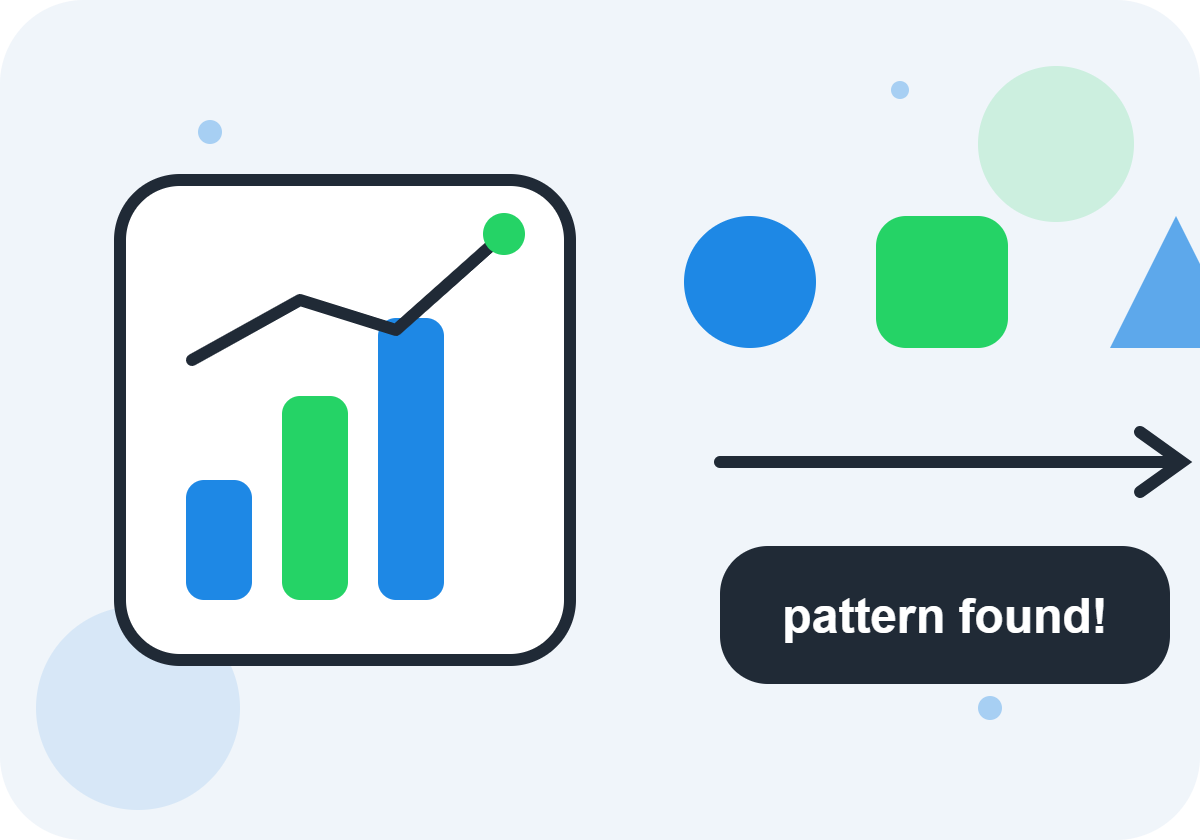
For example, creating a chatbot requires thinking about:
- What questions users might ask
- How the computer should respond
- How information should be organized
- How the chatbot can improve
These skills are useful in programming and everyday life.
2. AI Encourages Creativity
Many children enjoy creating things. AI gives them a new creative tool.
A young learner can combine imagination with technology to create:
- Smart games
- Digital assistants
- Interactive stories
- AI art projects
- Educational applications
Instead of only consuming technology, children learn how to build it.
3. AI Helps Kids Understand the Modern World
Children already use AI-powered technology every day.
Examples include:
- Search engines
- Video recommendations
- Online games
- Translation apps
- Smart speakers
- Photo filters
Learning AI helps kids understand how these systems work.
They become more aware technology users and can make better decisions about digital tools.
4. AI Builds Future-Ready Skills
Technology skills are becoming increasingly valuable.
Learning Python and AI helps children develop:
- Coding skills
- Logical reasoning
- Data analysis abilities
- Creativity
- Research skills
- Innovation mindset
These abilities can support many future careers.
Benefits of Learning Python at a Young Age
Python is one of the most popular programming languages in the world. It is widely used by software developers, researchers, engineers, scientists, and AI professionals.
Teaching Python to children provides many benefits.
1. Python Is Easy to Learn
Python AI Projects for Kids Many programming languages use complicated symbols and rules. Python is different because it uses simple, readable commands.
For example:
print(“Hello, AI!”)
Even beginners can understand that this instruction displays a message.
This simplicity allows children to focus on learning programming concepts.
2. Python Builds Logical Thinking
Programming teaches children how to think step by step.
When creating an AI project, kids learn:
- Identify a problem
- Plan a solution
- Write instructions
- Test the program
- Improve the result
This process develops strong analytical thinking.
3. Python Has Many Learning Resources
Because Python is popular, children have access to many educational materials:
- Beginner tutorials
- Online courses
- Coding communities
- Project examples
- Learning platforms
This makes it easier for young learners to continue improving.
4. Python Connects Coding With Real-World Projects
Some programming lessons can feel abstract. Python AI projects make learning practical.
Instead of only learning variables and loops, children can use them to build:
- Games
- Robots
- Chatbots
- AI experiments
- Data projects
Projects make learning more exciting.
Understanding AI in Simple Words
Artificial Intelligence means teaching computers to perform tasks that normally require human intelligence.
Humans can:
- Recognize objects
- Understand language
- Make decisions
- Learn from experience
- Solve problems
AI systems try to perform similar tasks using computer programs.
A simple way to understand AI is:
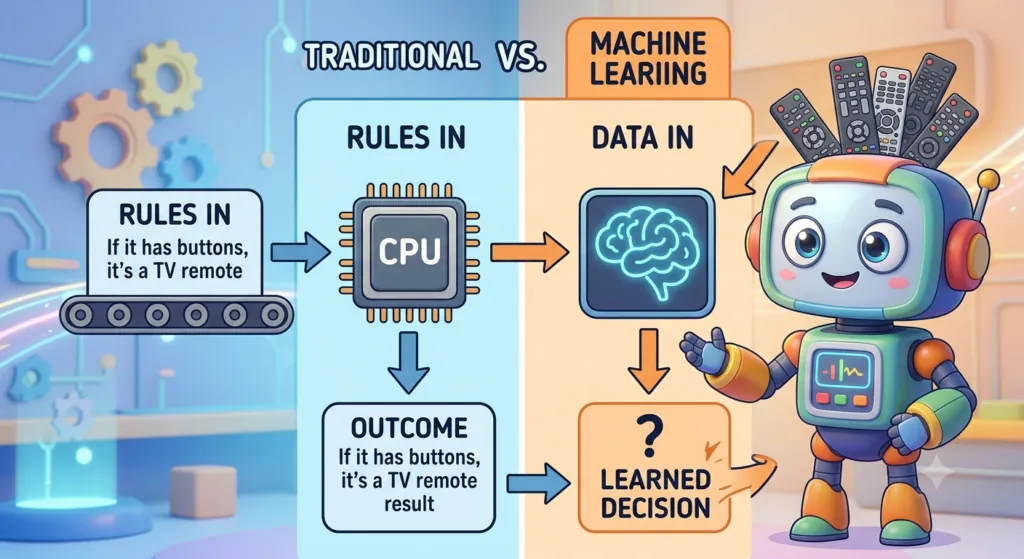
AI is a technology that allows computers to learn patterns and make useful decisions.
How Does AI Learn?
AI learns from information called data.
For example:
Imagine teaching a computer to recognize cats.
A human might show the computer thousands of pictures:
- Pictures of cats
- Pictures of dogs
- Pictures of other animals
The AI studies patterns:
- Shapes
- Colors
- Features
- Textures
After learning, the AI can make predictions when it sees a new image.
Examples of AI Around Us
Children interact with AI every day.
Smart Assistants
Voice assistants can understand spoken commands and answer questions.
Recommendation Systems
Streaming platforms suggest movies and videos based on user interests.
Online Translation
AI helps translate languages quickly.
Face Recognition
Phones use AI to identify faces and unlock devices.
Video Games
AI controls computer-controlled characters and creates challenges.
How Python Helps Kids Build AI Projects
Python is especially useful for AI because it has powerful libraries that simplify complicated tasks.
A library is a collection of ready-made programming tools that developers can use.
Instead of creating everything from the beginning, children can use existing tools to experiment with AI ideas.
Setting Up Python for Kids
Before children start creating artificial intelligence projects, they need a simple programming environment where they can write and run Python code.
Setting up Python does not have to be complicated. With the right tools, kids can begin experimenting with programming within minutes.
Choosing a Kid-Friendly Coding Environment
A good coding environment makes learning easier and more enjoyable.
1. Python IDLE
Python IDLE comes with Python installation.
It is useful for beginners because:
- It is simple
- It requires no extra setup
- It allows quick experiments
Kids can write small programs and immediately see results.
2. Visual Studio Code
Visual Studio Code is a popular editor used by professional programmers.
It provides:
- Colorful code highlighting
- Helpful extensions
- Project organization
- Debugging tools
Young programmers can gradually move to advanced tools as their skills improve.
3. Online Python Platforms
Online platforms allow children to code without installing software.
Advantages include:
- Works in a browser
- Easy sharing
- Beginner-friendly interface
These platforms are useful for classrooms and coding clubs.
Preparing a Computer for AI Projects
AI projects may require additional software packages.
Python uses a tool called pip to install libraries.
Example:
pip install numpy
Libraries provide extra features that help kids build advanced projects.
Before installing AI libraries, children should learn basic Python concepts:
- Variables
- Numbers and text
- Lists
- Conditions
- Loops
- Functions
These fundamentals make AI learning much easier.
Best Python Tools and Libraries for Young AI Learners
Python has thousands of libraries, but some are especially useful for beginners.
1. NumPy
NumPy helps computers work with numbers and data.
Kids can use it for:
- Mathematical experiments
- Data calculations
- Simple AI models
Example projects:
- Number prediction games
- Data visualization activities
- Scientific experiments
2. Pandas
Pandas helps organize and analyze information.
Children can use it to explore:
- Weather data
- Sports statistics
- School surveys
- Science experiments
Example:
A student can create a program that analyzes favorite foods in a class.
3. Matplotlib
Matplotlib creates graphs and charts.
Kids can use it to visualize:
- Data patterns
- AI predictions
- Experiment results
Visual learning makes AI concepts easier to understand.
4. Scikit-Learn
Scikit-learn is one of the best beginner machine learning libraries.
It helps children create:
- Prediction programs
- Classification projects
- Pattern recognition systems
Example:
A program that predicts whether a plant needs water based on temperature data.
5. OpenCV
OpenCV helps computers understand images and videos.
Kids can create:
- Face detection projects
- Color recognition programs
- Object tracking experiments
6. TensorFlow and PyTorch
These are advanced AI frameworks.
Older children and teenagers can explore:
- Neural networks
- Deep learning
- Image classification
- AI models
They introduce learners to professional AI development.
Lorem ipsum dolor sit amet, consectetur adipiscing elit. Ut elit tellus, luctus nec ullamcorper mattis, pulvinar dapibus leo.
Beginner Python AI Projects
Beginner projects should be simple, creative, and enjoyable.
The goal is not to create perfect AI systems but to understand basic ideas.
1. Simple AI Chatbot
A chatbot is one of the easiest AI projects for kids.
A beginner chatbot can:
- Answer greetings
- Respond to questions
- Provide simple information
Example:
User:
“Hello”
AI:
“Hi! How can I help you?”
Skills learned:
- Conditional statements
- Text processing
- Logical thinking
2. AI Number Guessing Game
This project teaches computers to make decisions.
The program:
- Chooses a random number
- Receives user guesses
- Gives hints
Kids learn:
- Random numbers
- Loops
- Decision-making
3. Smart Calculator
A smart calculator can perform calculations and answer basic questions.
Possible features:
- Addition
- Subtraction
- Multiplication
- Division
- Percentage calculations
4. AI Story Generator
Children can create programs that generate creative stories.
The program can combine:
- Characters
- Locations
- Events
This combines programming with imagination.
5. Recommendation Program
Kids can create a simple recommendation system.
Examples:
- Movie suggestions
- Book suggestions
- Game recommendations
The program learns preferences from user choices.
Intermediate Python AI Projects
After learning basic programming, children can explore more advanced projects.
1. Sentiment Analysis Project
Sentiment analysis teaches computers to understand emotions in text.
Example:
Input:
“I love this game!”
AI Output:
“Positive”
Children learn:
- Text analysis
- Natural language processing
- Data patterns
2. AI Quiz Application
A smart quiz system can:
- Ask questions
- Check answers
- Adjust difficulty
Advanced versions can analyze student performance.
3. Weather Prediction Project
Kids can build a simple prediction system using weather data.
The project teaches:
- Data collection
- Patterns
- Predictions
- 4. Smart Attendance System
Using computer vision, students can create a system that recognizes faces.
Possible features:
- Camera input
- Face detection
- Attendance records
5. AI Music Recommendation System
This project introduces recommendation algorithms.
The program can suggest songs based on:
- Favorite artists
- Music styles
- Previous choices
Advanced AI Projects for Young Programmers
Older students can explore advanced artificial intelligence concepts.
1. Neural Network Projects
Neural networks are computer systems inspired by the human brain.
Projects include:
- Handwriting recognition
- Image classification
- Pattern prediction
2. AI Robot Programming
Kids interested in robotics can combine:
- Python
- Sensors
- Hardware
- AI logic
Projects include:
- Obstacle-avoiding robots
- Smart vehicles
- Voice-controlled robots
3. AI Game Development
Young programmers can create games with intelligent characters.
Examples:
- Chess AI
- Racing opponents
- Strategy game enemies
4. Deep Learning Experiments
Students can explore:
- Neural networks
- Training models
- Large datasets
These projects introduce real-world AI development.
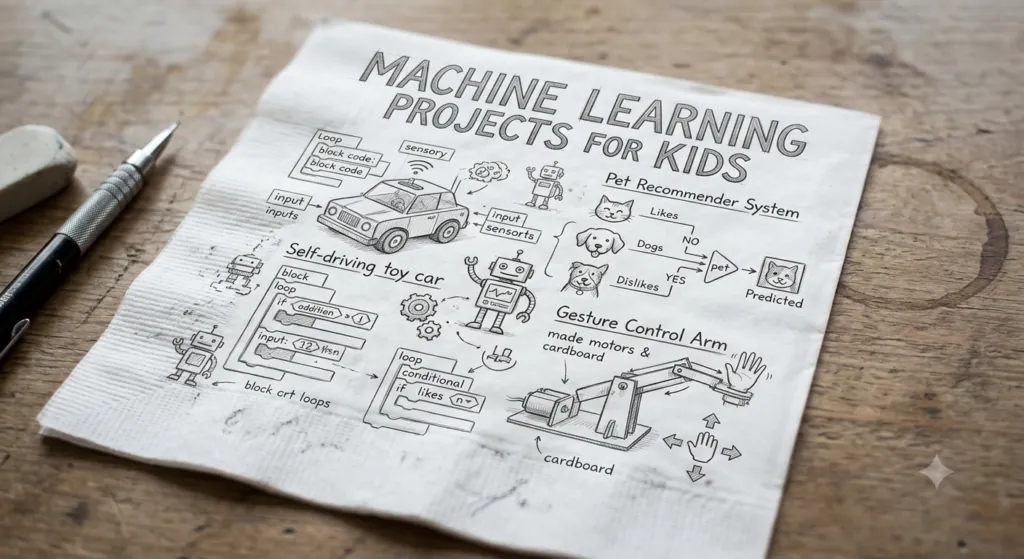
Machine Learning Projects for Kids
Machine learning is a branch of AI where computers learn from data.
Kids can understand machine learning through simple experiments.
- Flower Classification Project
The computer learns to identify flowers.
Steps:
- Collect flower images
- Train a model
- Test new images
Skills:
- Data collection
- Classification
- Model testing
2. Spam Message Detector
A spam detector identifies unwanted messages.
Example:
Message:
“Congratulations! You won a prize!”
AI:
“Possible spam”
Children learn text classification.
3. House Price Prediction
Students can create a model that predicts prices using information like:
- Size
- Location
- Number of rooms
This introduces real-world data science.
4. Student Performance Prediction
AI can analyze:
- Study time
- Attendance
- Practice scores
Then predict possible results.
5. Simple Recommendation Engine
Kids can create systems that suggest:
- Books
- Movies
- Games
- Learning resources
Computer Vision Projects for Kids
Computer vision is a branch of artificial intelligence that helps computers understand and interpret images and videos.
Humans use their eyes and brains to recognize objects, faces, colors, and movements. Computer vision allows machines to perform similar tasks using cameras and AI algorithms.
For kids, computer vision projects are exciting because they connect programming with the real world.
Children can create programs that:
- Detect objects
- Recognize faces
- Identify colors
- Track movement
- Analyze images
Python makes computer vision easier through libraries such as OpenCV.
1. Color Detection Project
A beginner-friendly computer vision project is a color detection program.
The computer uses a camera to identify colors.
For example:
- Red objects
- Blue objects
- Green objects
- Yellow objects
How It Works
The program:
- Receives video from a camera
- Examines each frame
- Detects specific colors
- Displays the result
Skills Learned
Kids learn:
- How cameras work with computers
- Image processing basics
- Working with pixels
- Using Python libraries
This project can become a fun experiment where children build a digital color scanner.
2. Face Detection System
Face detection is one of the most popular AI projects.
Many modern applications use face detection for:
- Phone security
- Photo organization
- Video effects
A beginner project can identify faces in pictures or webcam videos.
Learning Concepts
Children discover:
- How AI identifies patterns
- How computers recognize human features
- How images are analyzed
3. Motion Detection Project
Motion detection teaches computers to notice changes in images.
A simple project can:
- Monitor a room
- Detect movement
- Trigger an alert
Possible uses:
- Science experiments
- Security demonstrations
- Wildlife observation
4. Virtual Drawing Application
This is a creative computer vision project.
Using a webcam, kids can create a program where:
- Hand movements control drawing
- Colors change with gestures
- Shapes appear on screen
This combines:
- AI
- Art
- Programming
- Creativity
5. Object Detection Project
Object detection allows computers to identify items in images.
Examples:
- Books
- Bottles
- Animals
- Toys
A child can build a simple AI system that recognizes objects around them.
Chatbot Projects for Kids
Python AI Projects for Kids Chatbots are computer programs that communicate with people through text or voice.
They are among the best beginner AI projects because kids can immediately see their program responding.
1. Rule-Based Chatbot
A simple chatbot follows instructions created by the programmer.
Example:
User:
“Hello”
Bot:
“Hi! Nice to meet you.”
User:
“What is your name?”
Bot:
“I am a Python chatbot.”
Children learn:
- If statements
- Text comparison
- Programming logic
2. School Helper Chatbot
Kids can create a chatbot that helps students.
Possible features:
- Homework reminders
- Study tips
- Subject information
- Timetable assistance
This teaches children how AI can solve everyday problems.
3. Storytelling Chatbot
A creative chatbot can create interactive stories.
Features:
- Character conversations
- Story choices
- Different endings
Children combine programming with writing skills.
4. Quiz Chatbot
A quiz chatbot can:
- Ask questions
- Check answers
- Give scores
Students learn how AI applications can make learning more interactive.
5. AI Customer Service Chatbot
Older students can create a simple customer support chatbot.
Example uses:
- Answering common questions
- Providing instructions
- Helping users find information
This introduces real-world AI applications.
Game AI Projects for Kids
Artificial intelligence makes video games more interesting by creating smart characters and challenges.
Game AI teaches children how computers make decisions.
1. AI Enemy Character
Kids can create a game character that reacts to players.
The AI character can:
- Follow the player
- Avoid obstacles
- Choose actions
Learning concepts:
- Decision-making
- Game logic
- Programming conditions
- AI Maze Solver
A maze-solving AI teaches computers how to find paths.
The program learns:
- Where to move
- Which paths are blocked
- How to reach a goal
This introduces search algorithms.
3. Rock-Paper-Scissors AI
A simple game can become smarter by learning player behavior.
The AI can:
- Record previous choices
- Identify patterns
- Improve decisions
Children learn how machines learn from experience.
- AI Chess Beginner Project
Chess is a classic example of game AI.
A beginner version can:
- Move pieces legally
- Suggest simple moves
- Calculate possible actions
Advanced versions can explore complex algorithms.
5. Smart Puzzle Game
Kids can build puzzles where AI:
- Adjusts difficulty
- Gives hints
- Learns player skills
This demonstrates adaptive technology.
Voice Assistant Projects for Kids
Voice assistants allow computers to understand spoken commands.
Examples include:
- Asking questions
- Setting reminders
- Playing music
- Controlling devices
Children can create simple versions using Python.
1. Basic Voice Command Assistant
A beginner voice assistant can perform tasks like:
User:
“Open calculator”
Assistant:
“Opening calculator.”
Skills learned:
- Speech recognition
- Text processing
- Automation
2. Talking Calculator
A voice calculator allows users to speak about math problems.
Example:
User:
“What is 10 plus 5?”
AI:
“The answer is 15.”
This combines mathematics and AI.
3. Voice-Controlled Quiz Game
Kids can create an interactive quiz.
The assistant:
- Asks questions
- Listens to answers
- Calculates scores
- Smart Home Simulation
Children can create a virtual smart home system.
Commands:
“Turn on lights”
“Open door”
“Check temperature”
The project teaches automation concepts.
5. Personal Learning Assistant
A student can create an AI assistant that provides:
- Study reminders
- Learning resources
- Motivational messages
This shows how AI can support education.
Image Recognition Projects for Kids
Image recognition is a type of AI that helps computers identify objects inside pictures.
It is used in:
- Medical technology
- Security systems
- Shopping apps
- Social media filters
1. Animal Recognition Project
Kids can train an AI model to recognize animals.
Examples:
- Cats
- Dogs
- Birds
- Fish
The project teaches:
- Data collection
- Training models
- Testing predictions
2. Handwritten Digit Recognition
This is one of the most common beginner AI projects.
The AI learns to recognize numbers written by humans.
For example:
A user writes:
“7”
The computer identifies:
“Seven”
Children learn how AI recognizes patterns.
3. Plant Identification Project
A plant recognition project can identify different plants.
Possible uses:
- Gardening education
- Biology learning
- Nature exploration
4. Food Recognition Application
Kids can create a project that identifies food images.
Examples:
- Fruits
- Vegetables
- Snacks
This combines AI with health education.
5. Recycling Helper AI
A recycling assistant can identify waste items.
The AI can classify:
- Plastic
- Paper
- Glass
- Metal
This creates awareness about environmental responsibility.
Why These Projects Are Valuable for Kids
Computer vision, chatbot, game AI, voice assistant, and image recognition projects help children develop:
- Programming skills
- Creativity
- Scientific thinking
- Problem-solving abilities
- Robitics
- Understanding of modern technology
The most important lesson is that AI is not only something to use. It is something children can build, experiment with, and improve.
Fun STEM-Based AI Ideas for Kids
STEM stands for Science, Technology, Engineering, and Mathematics. Artificial Intelligence connects all these areas and gives children opportunities to create projects that solve real-world problems.
AI-based STEM projects encourage kids to experiment, ask questions, test ideas, and create innovative solutions.
The best AI learning experiences are not only about writing code. They are about discovering how technology can improve the world.
1. Smart Garden AI Project
A smart garden project combines AI, biology, and environmental science.
Children can create a system that monitors:
- Plant growth
- Soil moisture
- Temperature
- Sunlight levels
The AI can help answer questions like:
- Does the plant need water?
- Is the environment suitable?
- How fast is the plant growing?
Skills Learned
Kids practice:
- Data collection
- Sensors
- Programming logic
- Environmental awareness
This project connects computer science with nature.
- AI Recycling Assistant
Environmental projects are excellent ways to teach children how AI can help society.
An AI recycling assistant can identify different types of waste:
- Plastic bottles
- Paper
- Metal objects
- Glass items
The computer vision system learns from examples and helps users sort materials correctly.
Learning Benefits
Children learn:
- Image recognition
- Environmental responsibility
- Real-world AI applications
3. AI Weather Station
Kids can build a small weather monitoring system.
The project can collect:
- Temperature data
- Humidity levels
- Weather patterns
AI can analyze information and make simple predictions.
Example:
“Based on previous data, tomorrow may be warmer.”
This project combines:
- Science
- Mathematics
- Data analysis
- Programming
4. Smart Traffic System
Traffic management is an important real-world AI application.
A student project can simulate:
- Traffic lights
- Vehicle movement
- Traffic patterns
AI can help decide:
- When lights should change
- How to reduce waiting time
- How to improve road safety
5. AI Space Exploration Project
Space is a great topic for young learners.
Kids can create AI projects inspired by space missions.
Ideas include:
- Planet classification
- Satellite image analysis
- Space robot simulations
- Star pattern recognition
Students learn how scientists use AI to explore the universe.
6. AI Health Awareness Project
Children can create educational AI tools focused on healthy habits.
Examples:
- Water reminder system
- Exercise tracking program
- Food classification project
These projects teach how AI can support healthier lifestyles.
7. AI Smart Classroom Project
A smart classroom project can explore how technology improves learning.
Possible features:
- Digital attendance
- Learning recommendations
- Quiz systems
- Study assistants
This helps students imagine future education technologies.
Step-by-Step Python AI Tutorials
Learning by building projects is one of the best ways for kids to understand AI.
Below are simple beginner-friendly tutorials.
Tutorial 1: Creating a Simple AI Chatbot
Step 1: Understand the Goal
The chatbot should:
- Read user messages
- Recognize keywords
- Provide responses
Step 2: Create Responses
Example:
responses = {
“hello”: “Hi! How can I help you?”,
“name”: “I am a Python AI chatbot.”
}
The program stores possible answers.
Step 3: Receive User Input
message = input(“You: “)
The computer waits for the user to type something.
Step 4: Create Decision Logic
if message.lower() in responses:
print(responses[message.lower()])
else:
print(“I don’t understand yet.”)
The chatbot compares the message and selects a response.
Skills Learned
Children understand:
- Variables
- Dictionaries
- Conditions
- User interaction
Tutorial 2: Building an Image Recognition Project
Step 1: Collect Images
AI needs examples.
For example:
- Dog images
- Cat images
Step 2: Organize Data
Images should be separated into categories.
Example:
Animals
├── Dogs
└── Cats
Step 3: Train a Model
The computer studies patterns from images.
It learns differences between categories.
Step 4: Test the AI
Show the AI a new image.
The system predicts:
“This looks like a dog.”
Tutorial 3: Creating a Number Prediction AI
Step 1: Create Example Data
The computer needs previous examples.
Example:
Numbers and their patterns.
Step 2: Train the Program
The AI searches for relationships in the data.
Step 3: Make Predictions
The program uses what it learned to estimate future results.
Tutorial 4: Building a Voice Assistant
Step 1: Convert Speech Into Text
The computer listens and changes speech into words.
Step 2: Understand the Command
The AI identifies the meaning.
Example:
“Tell me the time.”
Step 3: Provide a Response
The assistant answers the request.
Tutorial 5: Creating a Smart Game Character
Step 1: Define Character Rules
Example:
- If player is close → move toward player
- If health is low → escape
Step 2: Add Decision Making
The AI chooses actions based on situations.
Step 3: Test and Improve
Players test the game and developers improve the AI.
Common Mistakes Kids Make While Learning AI
Learning artificial intelligence is exciting, but beginners often face challenges.
Understanding common mistakes helps children learn more effectively.
1. Trying Advanced Projects Too Early
Many kids want to build complicated AI systems immediately.
Examples:
- Creating a full robot
- Building a human-level chatbot
- Making a professional AI application
These projects require advanced knowledge.
Better Approach
Start with:
- Small Python programs
- Simple games
- Basic AI experiments
Then gradually increase difficulty.
- Ignoring Python Fundamentals
AI requires programming skills.
Some beginners focus only on AI libraries without learning basic Python.
Important topics include:
- Variables
- Functions
- Loops
- Data structures
- Problem-solving
Strong basics make AI learning easier.
3. Copying Code Without Understanding
Finding code examples online can help, but copying everything does not create real learning.
Kids should ask:
- What does this code do?
- Why does it work?
- How can I improve it?
Understanding is more important than simply making a program run.
4. Expecting AI to Be Perfect
AI systems make mistakes.
A computer may:
- Misidentify images
- Give incorrect predictions
- Misunderstand questions
Learning AI means learning how to improve systems.
5. Not Practicing Enough
Programming improves through practice.
Children should regularly:
- Write code
- Test ideas
- Fix errors
- Build small projects
Even short daily practice helps.
6. Being Afraid of Errors
Errors are a normal part of programming.
Every programmer encounters problems.
A mistake in code is an opportunity to learn:
- What went wrong?
- Why did it happen?
- How can it be fixed?
Debugging builds patience and logical thinking.
7. Ignoring Creativity
Some students think AI is only mathematics and coding.
AI can also involve:
- Art
- Writing
- Music
- Games
- Science projects
Creative thinking leads to better AI ideas.
8. Forgetting Ethics and Responsibility
Children should also learn that AI must be used responsibly.
Important topics include:
- Privacy
- Fairness
- Safety
- Responsible technology use
Good AI developers think about how their creations affect people
.Tips for Parents and Teachers
Parents and teachers play an important role in helping children explore artificial intelligence. Kids do not need to become professional programmers immediately. The goal is to encourage curiosity, creativity, and confidence.
AI learning should be enjoyable and practical. Children learn best when they can experiment, make mistakes, and build projects they find interesting.
1. Encourage Curiosity About Technology
Children naturally ask questions about the world around them.
When they ask:
- How does a phone recognize my face?
- How does a robot move?
- How does YouTube recommend videos?
- How do computers understand speech?
These questions are excellent opportunities to introduce AI concepts.
Parents and teachers can encourage children to explore answers through simple projects.
2. Start With Simple Projects
Beginners should not start with complicated AI systems.
Good first projects include:
- Simple chatbots
- Number guessing games
- AI quizzes
- Basic image recognition
- Recommendation programs
Small successes build confidence.
When children complete a project, they develop motivation to try more challenging ideas.
3. Focus on Learning, Not Just Results
A child may create a program that does not work perfectly.
That is part of the learning process.
Parents and teachers should focus on questions like:
- What did you learn?
- What problem did you solve?
- What would you improve?
- What new idea can you try?
The learning journey is more valuable than a perfect final project.
4. Make AI Learning Hands-On
Children learn better by doing.
Instead of only explaining AI concepts, allow them to:
- Write code
- Build projects
- Test ideas
- Modify examples
- Create their own versions
Hands-on learning develops stronger understanding.
5. Connect AI With Children’s Interests
Every child has different interests.
AI can connect with:
Art
Projects:
- AI drawing tools
- Creative generators
- Image experiments
Games
Projects:
- Smart characters
- Game recommendations
- Puzzle-solving AI
Science
Projects:
- Weather prediction
- Plant monitoring
- Space simulations
Music
Projects:
- Sound analysis
- Music recommendation systems
When children connect AI with hobbies, learning becomes more enjoyable.
6. Teach Safe and Responsible AI Use
Children should understand that technology comes with responsibility.
Important lessons include:
- Protect personal information
- Respect others online
- Understand AI limitations
- Check information carefully
Responsible AI education helps create thoughtful future technology creators.
7. Support Experimentation
Great inventions often come from trying new ideas.
Parents and teachers can encourage children to:
- Change existing projects
- Create new versions
- Test different solutions
- Explore creative possibilities
Innovation begins with experimentation.
8. Provide a Positive Learning Environment
Learning programming requires patience.
Children may experience:
- Errors
- Confusing concepts
- Failed experiments
A supportive environment helps them continue learning.
Celebrating effort and improvement builds confidence.
Future Career Opportunities in AI
Artificial Intelligence is creating many exciting career opportunities.
Children learning Python AI projects today may explore technology careers in the future.
AI skills are useful across many industries, including:
- Healthcare
- Education
- Robotics
- Entertainment
- Science
- Business
- Environmental research
1. AI Engineer
AI engineers create intelligent systems.
They develop:
- Machine learning models
- AI applications
- Smart technologies
Skills needed:
- Python programming
- Mathematics
- Data science
- Problem-solving
2. Machine Learning Engineer
Machine learning engineers teach computers how to learn from data.
They work on:
- Prediction systems
- Recommendation engines
- Pattern recognition
Examples:
- Movie recommendations
- Fraud detection systems
- Smart assistants
3. Data Scientist
Data scientists analyze information and discover useful patterns.
They use:
- Programming
- Statistics
- AI tools
They help organizations make better decisions.
4. Robotics Engineer
Robotics engineers combine AI with machines.
They create:
- Robots
- Automated systems
- Smart devices
Python is widely used in robotics development.
5. Computer Vision Specialist
Computer vision experts develop systems that understand images and videos.
Applications include:
- Medical image analysis
- Security systems
- Autonomous vehicles
- Industrial automation
6. Natural Language Processing Specialist
NLP specialists teach computers to understand human language.
They create:
- Chatbots
- Translation systems
- Voice assistants
- AI Research Scientist
AI researchers explore new ideas and improve artificial intelligence technology.
They work on:
- New algorithms
- Advanced models
- Future AI systems
8. AI Product Developer
AI product developers combine technology with user needs.
They create:
- AI applications
- Educational tools
- Smart services
9. AI Ethics Specialist
As AI becomes more powerful, responsible development becomes important.
AI ethics specialists focus on:
- Fairness
- Privacy
- Safety
- Responsible use
10. AI Entrepreneur
Young innovators may create their own technology companies.
AI entrepreneurs build:
- New applications
- Educational platforms
- Smart solutions
Learning Python and AI gives children the foundation to create future innovations.
Frequently Asked Questions (FAQs)
1. What age can kids start learning Python AI projects?
Children can begin learning basic programming around ages 8–10, depending on their interest and learning style.
Younger children can start with visual programming tools before moving to Python.
2. Is Python difficult for kids?
Python is considered one of the easiest programming languages for beginners because it uses simple and readable syntax.
With practice and guidance, many children can learn Python successfully.
3. Do kids need advanced mathematics to learn AI?
Beginners do not need advanced mathematics.
Simple AI projects mainly require:
- Logical thinking
- Basic mathematics
- Curiosity
- Problem-solving skills
Advanced AI may require deeper mathematics later.
4. What is the best first AI project for a child?
Good beginner projects include:
- Simple chatbot
- Number guessing game
- AI quiz
- Basic recommendation system
- Image classification experiment
5. Can children learn machine learning?
Yes. Children can learn basic machine learning concepts through simple projects.
They can understand:
- Data
- Patterns
- Predictions
- Training models
6. What computer is needed for Python AI projects?
Most beginner projects can run on a normal computer.
Children need:
- A computer or laptop
- Internet connection
- Python installation or online coding platform
Advanced AI projects may require more powerful hardware.
7. How long does it take to learn Python AI?
The learning time depends on practice and interest.
A child can learn basic Python concepts within weeks and gradually explore AI projects over months.
8. Are AI projects safe for children?
Yes, when taught responsibly.
Children should learn:
- Safe internet habits
- Privacy protection
- Responsible technology use
9. Can AI learning help with school subjects?
Yes.
AI projects can support learning in:
- Mathematics
- Science
- Computer studies
- Creativity
- Research skills
10. Why should kids learn AI now?
AI is becoming part of everyday life.
Learning AI helps children understand technology and prepares them for future opportunities.
Conclusion
Python AI projects for kids provide an exciting way to learn programming, creativity, and problem-solving skills.
Artificial intelligence is not only a technology used by experts. With beginner-friendly tools and programming languages like Python, children can explore AI concepts and create their own intelligent applications.
Through projects such as:
- Chatbots
- Image recognition systems
- Smart games
- Voice assistants
- Machine learning experiments
- Computer vision applications
kids learn how computers think, how data works, and how technology can solve real-world problems.
The biggest benefit of learning AI at a young age is not just coding knowledge. Children develop curiosity, logical thinking, creativity, and confidence in building solutions.
Parents and teachers can support young learners by encouraging experimentation, connecting AI with interests, and creating a positive learning environment.
The future will need creative thinkers who understand technology and use it responsibly. By starting with Python AI projects today, children can develop the skills needed to become tomorrow’s innovators, engineers, scientists, and creators.
Artificial intelligence is a powerful tool, and the next generation has the opportunity to shape how it is used.