AI Kids

AI Course Syllabus for Kids

AI Course Syllabus for Kids: A Complete Guide to Learning Artificial Intelligence from an Early Age

Meta Title: AI Course Syllabus for Kids: Complete AI Curriculum & Guide

Meta Description: Explore a practical AI course syllabus for kids covering artificial intelligence, machine learning, generative AI, coding, robotics, AI ethics, projects, and future-ready skills. Suggested URL Slug: /ai-course-syllabus-for-kids/

AI Course Syllabus for Kids: A Complete Beginner-Friendly Curriculum

Artificial Intelligence (AI) is becoming an important part of how children learn, create, communicate, and solve problems. From voice assistants and recommendation systems to generative AI, smart robots, and educational applications, children are growing up in a world where AI is increasingly part of everyday life.

That makes AI education for kids more than a technology trend. A well-designed AI course can help children understand how intelligent technologies work while developing creativity, logical thinking, problem-solving, digital literacy, and responsible technology habits.

But what should children actually learn in an AI course for kids?

A good AI curriculum should not simply teach children how to use AI tools. It should help them understand the basic ideas behind artificial intelligence, experiment through age-appropriate activities, build simple projects, learn how to ask effective questions, recognize AI limitations, and use technology responsibly.

This guide explains a practical AI course syllabus for kids, including topics, learning outcomes, activities, projects, and frequently asked questions for parents and educators.

What Is an AI Course for Kids?

An AI course for kids is an age-appropriate educational program that introduces children to the fundamental concepts and applications of artificial intelligence.

Instead of beginning with complicated mathematics or advanced programming, children’s AI education generally works best when concepts are introduced through:

  • Stories and demonstrations
  • Games and puzzles
  • Visual programming
  • Simple experiments
  • Image and speech activities
  • Generative AI demonstrations
  • Robotics and automation
  • Creative projects
  • Problem-solving challenges
  • Discussions about AI safety and ethics

The goal is to make AI understandable and engaging while gradually developing technical and analytical skills.

Why Should Kids Learn Artificial Intelligence?

Children do not need to become AI engineers to benefit from learning about AI.

Understanding AI can help students become informed technology users and prepare for future learning in computer science, engineering, data science, robotics, entrepreneurship, design, and other fields.

Key benefits of AI education for children include:

  1. Develops problem-solving skills

AI activities often involve identifying problems, finding patterns, testing ideas, and improving solutions.

  1. Encourages logical thinking

Children learn to break complex tasks into smaller, understandable steps.

  1. Builds digital literacy

Students learn that AI systems are created by people and that their outputs are not automatically correct.

  1. Encourages creativity

AI can be introduced as a creative tool for storytelling, images, brainstorming, music, games, and project development.

  1. Introduces computational thinking

Children can learn concepts such as patterns, sequences, classification, algorithms, data, and decision-making.

  1. Promotes responsible technology use

A strong AI curriculum should teach privacy, fairness, misinformation, human oversight, and appropriate use of AI-generated content.

  1. Builds future-ready skills

AI literacy can complement communication, creativity, collaboration, critical thinking, and technology skills.

Ai Learning
children interacting

Table of Contents

AI Course Syllabus for Kids

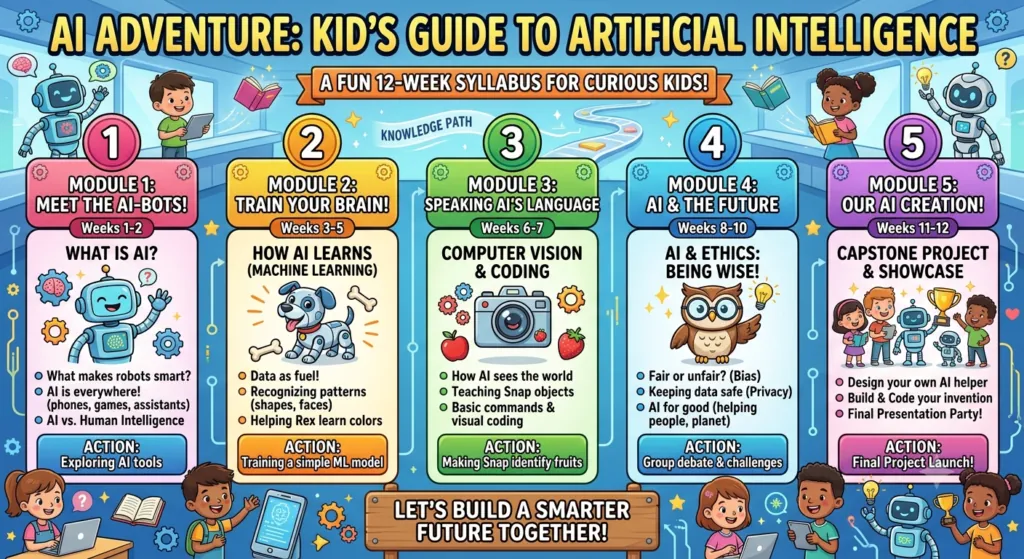
A flexible AI syllabus can be divided into age-appropriate levels. Younger children can focus on concepts and experimentation, while older students can progress toward coding, machine learning, data, generative AI, and projects.

Here is a sample AI course curriculum for kids.

Module 1: Introduction to Artificial Intelligence

The first module introduces children to the idea of artificial intelligence in a simple and relatable way.

Topics

  • What is AI?
  • What does “intelligent” mean?
  • Where do we see AI?
  • AI in smartphones
  • AI in games
  • AI in education
  • AI in transportation
  • AI in healthcare
  • AI in entertainment
  • Everyday examples of AI

Activity

Ask students to identify AI-powered technologies they encounter during a normal day.

For example:

  • Voice assistants
  • Search engines
  • Video recommendations
  • Face recognition
  • Translation tools
  • Smart cameras
  • Online learning applications

Learning Outcome

Students should be able to explain AI in simple language and identify common examples of artificial intelligence.

Module 2: How Do AI Systems Learn?

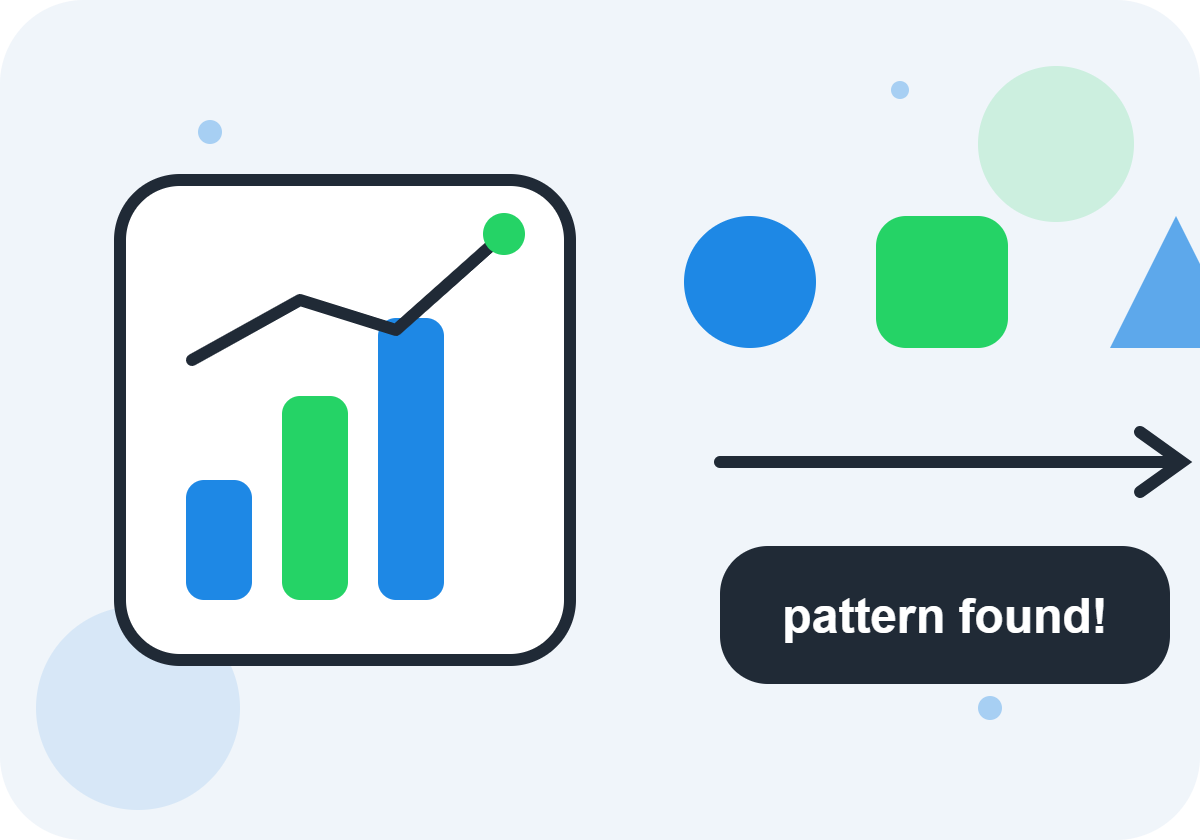
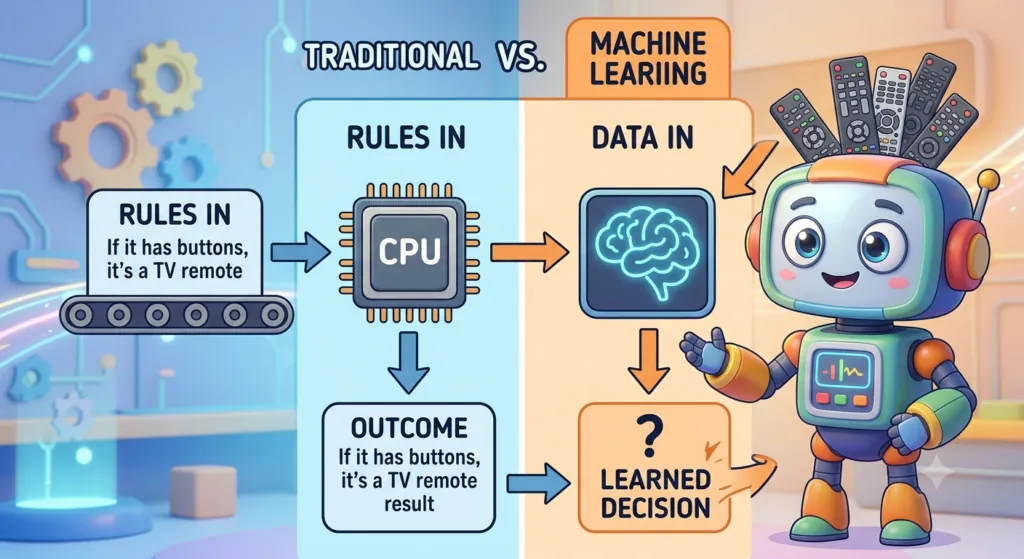
Children can be introduced to the idea that many AI systems learn patterns from data.

Topics

  • What is data?
  • What are patterns?
  • Examples and labels
  • Training an AI system
  • Testing an AI system
  • Predictions
  • Why data matters
  • Why AI can make mistakes

Simple Example

Imagine showing an AI system many pictures labeled cat and dog.

The system can look for patterns in those examples. Later, it can attempt to classify a new picture.

This simple exercise helps children understand that AI does not “think” exactly like a human. It uses computational methods to identify patterns and produce outputs.

Learning Outcome

Students understand the basic relationship between data, patterns, training, and AI predictions.

Module 3: Machine Learning for Kids

Machine learning can be introduced through visual and hands-on activities rather than advanced mathematics.

Topics

  • What is machine learning?
  • Supervised learning
  • Classification
  • Recognizing patterns
  • Training examples
  • Testing examples
  • Prediction
  • Accuracy
  • Errors and improvement

Kid-Friendly Project

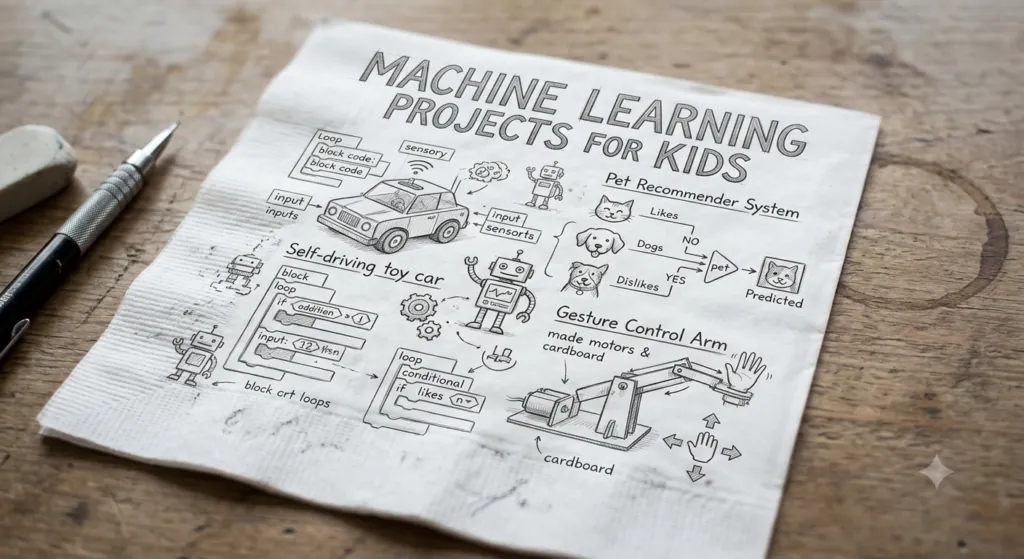
Students can create a simple classification activity in which an AI model learns to distinguish between different categories of objects, sounds, or images.

Learning Outcome

Students gain a basic understanding of how machine learning models use examples to recognize patterns.

Module 4: Generative AI for Kids

Generative AI is an increasingly important part of modern AI literacy.

Children can learn what generative AI does while also learning that AI-generated information needs human review.

Topics

  • What is generative AI?
  • AI-generated text
  • AI-generated images
  • AI-generated audio
  • AI-assisted brainstorming
  • How prompts work
  • Giving clear instructions
  • Checking AI responses
  • AI hallucinations and incorrect information
  • Human creativity and AI assistance

Prompting Activities

Students can experiment with prompts such as:

“Create a short story about a robot that wants to become a scientist.”

They can then improve the prompt by adding:

  • Character details
  • Setting
  • Story length
  • Tone
  • Audience
  • Learning objective

This teaches students that clear instructions generally produce more useful results.

Important Safety Lesson

Children should learn that they should not blindly trust AI-generated answers. They should verify important information with teachers, parents, books, reliable educational resources, or other trusted sources.

Module 5: AI and Coding for Children

Coding and AI can complement each other, but children do not necessarily need advanced programming knowledge to begin exploring AI concepts.

Beginner Topics

  • What is programming?
  • Algorithms
  • Instructions
  • Variables
  • Conditions
  • Loops
  • Events
  • Logic
  • Visual programming
  • Simple Python introduction for older learners

Younger children can start with block-based programming, while older students can gradually move toward text-based programming.

Project Ideas

Students can build:

  • A simple chatbot
  • A quiz game
  • A decision-making game
  • A recommendation program
  • A basic AI-themed animation
  • A simple classification application

Learning Outcome

Students understand how instructions and algorithms help computers perform tasks.

Module 6: Computer Vision

Computer vision introduces children to the way computers can process and interpret visual information.

Topics

  • What is computer vision?
  • Images as data
  • Image recognition
  • Object detection
  • Facial recognition concepts
  • Pattern recognition
  • Practical applications
  • Limitations and errors

Classroom Activity

Students can explore how an image-recognition system responds to different objects, lighting conditions, angles, or backgrounds.

This can lead to an important discussion:

Can an AI system always recognize an object correctly?

The answer is no. AI models can make mistakes because their performance depends on many factors, including the data and conditions involved.

Module 7: Natural Language Processing

Natural Language Processing, or NLP, is the area of AI concerned with working with human language.

Topics

  • How computers process language
  • Chatbots
  • Translation
  • Speech recognition
  • Text classification
  • Sentiment analysis
  • Question answering
  • Voice assistants

Activity

Students can compare how different instructions affect an AI chatbot’s response.

This provides an easy introduction to prompt engineering and communication with AI systems.

Learning Outcome

Students understand that computers can process language using specialized AI techniques, but their responses can still contain errors.

Module 8: Robotics and AI

Robotics makes AI learning highly interactive.

Topics

  • What is a robot?
  • Sensors
  • Motors
  • Automation
  • Robot decision-making
  • AI versus traditional programming
  • Robots in homes and industries
  • Autonomous systems

Project Ideas

Depending on available equipment, students can create:

  • Obstacle-avoiding robots
  • Line-following robots
  • Smart traffic-light models
  • Voice-controlled projects
  • Automated sorting systems

Robotics activities can combine coding, engineering, mathematics, design, and AI concepts.

Module 9: Data and AI

Data is one of the most important concepts children should understand when learning AI.

Topics

  • What is data?
  • Structured and unstructured data
  • Data collection
  • Data labels
  • Data quality
  • Bias in data
  • Data privacy
  • Why incorrect data can produce incorrect results

Simple Example

If a model is trained using poor-quality or unbalanced examples, it may perform poorly when given new information.

This helps children understand an important principle:

Better AI requires thoughtful data, testing, and human oversight.

Module 10: AI Ethics and Responsible AI

AI education should include responsible technology use from the beginning.

Children should understand that technology can have benefits as well as risks.

Topics

  • Privacy
  • Personal information
  • Online safety
  • Bias
  • Fairness
  • Misinformation
  • Deepfakes
  • Copyright and originality
  • AI-generated content
  • Human responsibility
  • Digital citizenship

Classroom Discussion

Students can discuss questions such as:

  • Should an AI system make important decisions about people?
  • Can AI make mistakes?
  • Should we share private information with AI tools?
  • How can we tell whether information is reliable?
  • Who is responsible when technology causes harm?

These discussions help develop AI literacy and critical thinking, rather than simply teaching tool usage.

Module 11: AI Creativity and Innovation

AI can be introduced as a creative partner while keeping children’s own ideas at the center of the learning process.

Creative Activities

Students can use AI concepts to explore:

  • Storytelling
  • Game design
  • Digital art
  • Music concepts
  • Presentation ideas
  • Invention challenges
  • Science projects
  • Problem-solving

For example, a student could design a fictional AI-powered smart city and explain how AI could improve transportation, waste management, energy use, or public services.

Module 12: AI Capstone Project

The final stage of an AI course for kids can be a project that combines multiple concepts.

Possible Projects

AI Study Assistant

Design a concept for an AI assistant that helps students organize study topics.

Smart Recycling System

Create a model demonstrating how computer vision could classify recyclable materials.

AI Story Generator

Create a storytelling project that explores generative AI while requiring students to edit and improve the output.

Smart Garden

Design a system using sensors and automation to monitor plants.

AI Career Explorer

Create a presentation explaining how AI is changing different careers.

Project Presentation

Students can present:

  1. The problem
  2. Their proposed AI solution
  3. How the system works
  4. What data it might need
  5. Possible benefits
  6. Possible limitations
  7. Safety or ethical considerations
  8. What they would improve next

This encourages communication, creativity, and critical thinking in addition to technical knowledge.

Suggested AI Course Structure by Age

A single syllabus should not be delivered identically to every child. AI concepts can be adjusted according to age, experience, attention span, and learning goals.

AI for Kids Ages 6–8

Focus on:

  • What is AI?
  • Everyday AI examples
  • Patterns
  • Logic games
  • Simple algorithms
  • Creative technology activities
  • Basic robotics
  • Digital safety

The emphasis should be on discovery and curiosity.

AI for Kids Ages 9–12

Introduce:

  • Machine learning concepts
  • Data
  • Classification
  • Generative AI
  • Prompting
  • Visual coding
  • Robotics
  • Computer vision concepts
  • AI ethics
  • Beginner projects

The emphasis can shift toward experimentation and problem-solving.

AI for Teens Ages 13–17

Older students can explore:

  • Python
  • Machine learning
  • Data analysis
  • Generative AI
  • Prompt engineering
  • APIs and AI applications
  • Computer vision
  • Natural language processing
  • Robotics
  • AI ethics
  • Capstone projects

The emphasis can shift toward building, evaluating, and applying AI systems.

What Will Kids Learn After an AI Course?

After completing an age-appropriate AI program, students should ideally be able to:

  • Explain artificial intelligence in simple terms
  • Identify common AI applications
  • Describe how data influences AI systems
  • Explain the basic concept of machine learning
  • Understand patterns and classification
  • Use AI tools responsibly
  • Write clearer prompts
  • Recognize that AI can make mistakes
  • Think critically about AI-generated information
  • Understand basic AI ethics
  • Complete simple technology projects
  • Present and explain their ideas

The exact outcomes will depend on the course duration, teaching methodology, student age, and project depth.

What Makes a Good AI Course for Kids?

Parents and schools evaluating an AI course for children should look beyond the number of tools or technologies included.

A strong program should provide:

Age-appropriate learning

Complex AI concepts should be explained using language and activities suitable for the child’s developmental level.

Hands-on projects

Children learn effectively when they can experiment, build, test, and improve.

Conceptual understanding

The course should explain what AI is and how it works rather than teaching children to click through AI tools without understanding them.

Responsible AI education

Privacy, misinformation, bias, verification, and safe technology use should be part of the curriculum.

Human creativity

AI should support children’s thinking rather than replace their imagination and independent problem-solving.

Qualified instruction

Parents and schools should look for instructors who can explain technical concepts clearly and provide appropriate supervision and feedback.

AI Course for Kids: Online vs Classroom Learning

Both online and in-person AI programs can work well when the curriculum and teaching approach are appropriate.

Online AI Classes

Potential advantages include:

  • Flexible scheduling
  • Access from home
  • Digital project environments
  • Broader choice of courses
  • Easy access to online learning resources

Classroom AI Programs

Potential advantages include:

  • Direct instructor interaction
  • Collaborative activities
  • Hands-on robotics
  • Peer learning
  • Immediate feedback

The most important factor is not simply the delivery format. Parents should consider curriculum quality, instructor expertise, student engagement, project work, safety practices, and learning outcomes.

How Parents Can Support AI Learning at Home

Parents do not need to be AI experts to encourage children’s learning.

Try asking questions such as:

  • “Where do you think AI is used here?”
  • “How might the computer know that?”
  • “What information would an AI system need?”
  • “Could the AI be wrong?”
  • “How could we test the answer?”
  • “What could be a safer way to use this technology?”

These conversations turn everyday technology use into opportunities for critical thinking.

Frequently Asked Questions About AI Courses for Kids

1. What is the best age to start learning AI?

There is no single best age. Children can begin with simple concepts such as patterns, logic, algorithms, and everyday examples of AI at a young age. Older children can gradually move into machine learning, coding, generative AI, data, and robotics.

Yes, if the content is designed specifically for young children. At this age, AI education should focus on stories, games, patterns, simple algorithms, creative activities, and familiar examples rather than advanced programming or mathematics.

No. Beginners can learn fundamental AI concepts without previous coding experience. Coding can be introduced progressively as students become ready.

Python can be valuable for older students who want to explore programming and machine learning more deeply. Younger learners can begin with visual programming and conceptual activities before moving to text-based programming.

A comprehensive syllabus may include AI fundamentals, machine learning, data, generative AI, prompting, coding, computer vision, natural language processing, robotics, AI ethics, digital safety, and hands-on projects

Machine learning for kids is an age-appropriate introduction to how computers can learn patterns from examples and use those patterns to make predictions or classifications.

Yes, with appropriate supervision, age-appropriate tools, privacy practices, and clear guidance. Children should learn not to share sensitive personal information and should understand that AI-generated content can be inaccurate.

AI education can support problem-solving, computational thinking, creativity, digital literacy, critical thinking, communication, and responsible technology use.

AI can seem complicated when taught using advanced mathematics or technical terminology. With visual examples, practical activities, and age-appropriate projects, many foundational AI concepts can be made accessible to children.

No. AI and coding can complement one another. Coding teaches logical thinking and computational concepts, while AI education introduces concepts such as data, machine learning, prediction, and intelligent systems.

Depending on age and experience, children can create AI-themed games, chatbots, image-classification demonstrations, smart-city concepts, robotics projects, recommendation systems, storytelling projects, and other technology prototypes.

Yes. AI literacy can complement subjects such as computer science, mathematics, science, design, language, and entrepreneurship. The appropriate depth depends on the student’s age and educational goals.

Parents should evaluate the curriculum, instructor qualifications, age suitability, practical projects, student support, privacy practices, responsible AI education, and whether the course emphasizes understanding rather than simply using AI tools.

There is no universal ideal duration. A short introductory program may teach fundamental concepts, while a longer program can include coding, machine learning, robotics, and a capstone project. The course should allow enough time for children to practice and build projects.

Absolutely. Responsible AI should be a core part of children’s AI education. Students should learn about privacy, fairness, misinformation, bias, verification, digital citizenship, and human responsibility.

Prompt engineering, in a beginner-friendly context, means learning how to give clear and useful instructions to an AI system. Children can practice specifying the goal, audience, format, constraints, and desired outcome.

Lorem ipsum dolor sit amet, consectetur adipiscing elit. Ut elit tellus, luctus nec ullamcorper mattis, pulvinar dapibus leo.AI can provide brainstorming and creative assistance, but children should remain active creators. A good course encourages students to develop their own ideas, evaluate AI suggestions, make decisions, and improve the final result.

No technology should be treated as automatically correct. Children should learn to question AI outputs, identify uncertainty, and verify important information using reliable sources and guidance from trusted adults.
The most important goal is AI literacy: helping children understand what AI can do, what it cannot reliably do, how it uses data and patterns, how to use it responsibly, and how to think critically about AI-generated information.

Final Thoughts: Building AI Literacy for the Next Generation

An effective AI course syllabus for kids should be about much more than learning the latest AI application.

Children need a balanced foundation that combines AI concepts, coding, creativity, problem-solving, data literacy, hands-on projects, critical thinking, and responsible technology use.

The best curriculum grows with the learner. Younger children can begin with patterns, games, stories, and simple technology concepts. As they become more experienced, they can explore machine learning, generative AI, coding, robotics, computer vision, natural language processing, and increasingly sophisticated projects.

Most importantly, AI education should teach children to be curious creators and critical thinkers—not passive consumers of technology.

Whether the program is delivered through a school, an after-school program, an online class, or a dedicated technology academy, a thoughtful AI curriculum can give children a strong foundation for understanding the technologies shaping their world

Final Thoughts: Building AI Literacy for the Next Generation

An effective AI course syllabus for kids should be about much more than learning the latest AI application.

Children need a balanced foundation that combines AI concepts, coding, creativity, problem-solving, data literacy, hands-on projects, critical thinking, and responsible technology use.

The best curriculum grows with the learner. Younger children can begin with patterns, games, stories, and simple technology concepts. As they become more experienced, they can explore machine learning, generative AI, coding, robotics, computer vision, natural language processing, and increasingly sophisticated projects.

Most importantly, AI education should teach children to be curious creators and critical thinkers—not passive consumers of technology.

Whether the program is delivered through a school, an after-school program, an online class, or a dedicated technology academy, a thoughtful AI curriculum can give children a strong foundation for understanding the technologies shaping their world

Conclusion

AI education for kids is no longer just an introduction to advanced technology—it is an opportunity to develop curiosity, creativity, problem-solving, critical thinking, and responsible digital skills from an early age. A well-structured AI course syllabus for kids should make complex concepts simple, engaging, practical, and age-appropriate.

From understanding the basics of artificial intelligence and machine learning to exploring coding, robotics, generative AI, data, computer vision, and AI ethics, children can gradually build the knowledge and confidence needed to navigate an increasingly AI-powered world.

The goal is not to make every child an AI programmer. It is to help children understand how AI works, how to use it responsibly, how to question its answers, and how to create with technology rather than simply consume it.

For parents, schools, and educators, choosing an AI course that combines hands-on projects, qualified instruction, creativity, critical thinking, and responsible AI practices can give children a meaningful foundation for future learning.

When children learn AI with curiosity, guidance, and responsibility, they are better prepared not only for future careers but also for the technological world they are already living in.

Leave a Comment

Your email address will not be published. Required fields are marked *

Scroll to Top