


Technical skills
Coding, data handling, algorithms, AI and machine learning, computer vision, NLP and robotics.

Blog
Machine learning projects for kids are a fun way to discover how computers spot patterns and make predictions. Machine learning is no longer only for university labs or software companies. Today, children can explore it through games, visual experiments, coding, robotics and creative projects, without starting with hard maths or complicated algorithms.
This guide shares project ideas for every age and level, what kids learn from each one, which tools to use and a simple checklist to finish any project. Whether you want a first AI project for an 8-year-old, a school STEM activity or a real challenge for a teenager, you will find something to try.

By Rupendra

Published 10 August 2026

Updated 25 September 2026

15 min read
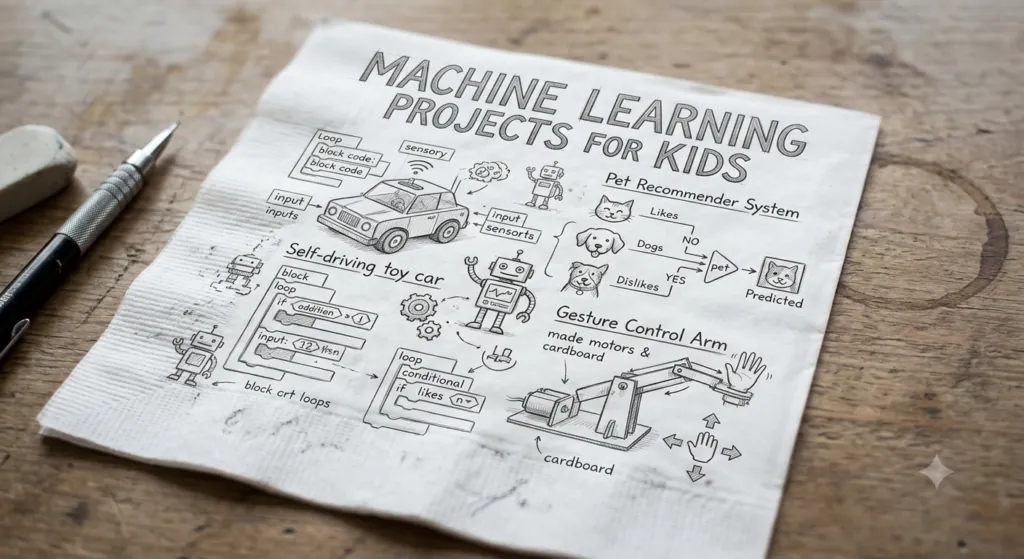
Quick Machine Learning Projects Overview

Best for
Ages 8+ to 14+, depending on the project

Levels
Beginner, Intermediate and Advanced

Project ideas
20 detailed projects plus 10 quick ideas

Tools
Visual ML tools, block coding, Python, robotics kits
Format
Solo projects or a 4-week class plan
Key takeaways

An image classifier is a great first machine learning project.
Match the project to your child's age, coding experience and interests.
Every project follows Problem → Data → Train → Test → Improve → Explain.
Mistakes are learning moments: always ask why the model got it wrong.
Teach safety too: protect privacy and never assume AI is always right.
Machine learning is a branch of artificial intelligence (AI) where computers use data to find patterns and then make predictions or decisions.
Imagine showing a computer lots of pictures of cats and dogs. Each picture is labelled, so the computer knows which is which. After enough examples, a machine learning model learns patterns for each group. Show it a new picture and it makes a prediction. The prediction may be right, but it can also be wrong.
That one example holds all the key ideas, and kids understand them best when they build something themselves:

Data, examples and labels: pictures or sounds tagged with the right answer
Training: the computer learns patterns from the examples
Classification and predictions: sorting new things into groups
Testing, accuracy and errors: checking how often the guess is right
Projects turn big AI ideas into something children can see, test and improve. Instead of just hearing that 'machine learning uses data', kids collect data, train a model, test it and watch what happens.
They also learn that a mistake is not a failure. When a model gets something wrong, kids ask: Why did the model get this wrong? That question opens great talks about data quality, training examples, bias, testing and model limits.
Along the way, children build logical thinking, problem-solving, pattern recognition, coding, data literacy, creativity, critical thinking, experimentation, communication, collaboration and digital literacy.
Coding, data handling, algorithms, AI and machine learning, computer vision, NLP and robotics.

Logical reasoning, pattern recognition, data interpretation, probability, measurement and statistics.

Design, storytelling, experimentation, innovation and problem-solving.

Presenting projects, explaining results, teamwork, documenting experiments and answering questions.
A good learning path makes projects harder step by step. The ages are approximate, so also consider your child's coding experience, reading level, interests and learning environment.

Starter
Focus on patterns, sorting and basic AI awareness. The aim is curiosity, not technical knowledge.

Beginner
Use beginner-friendly AI tools and visual programming, and learn the cycle Collect → Label → Train → Test → Improve.
Intermediate
Kids with some coding experience can go further, and Python can start for those who are ready.

Advanced
Older students can try predictive models and Python machine learning projects, with maths matched to their background.
Project
Level
Main idea
Age
AI Animal Classifier
Beginner
Classification
8+
Rock-Paper-Scissors AI
Beginner
Computer vision
8+
Cat vs. Dog Classifier
Beginner
Image recognition
9+
Recycling Classifier
Beginner
Classification
9+
Voice Command Classifier
Beginner
Audio classification
9+
Emotion or Expression Classifier
Beginner
Image classification
10+
AI Chatbot
Beginner
NLP
10+
Movie Recommendation System
Intermediate
Recommendations
12+
Spam Message Classifier
Intermediate
Text classification
12+
Sentiment Analysis
Intermediate
NLP
12+
Handwritten Digit Recognizer
Intermediate
Image classification
12+
AI Study Assistant
Intermediate
Generative AI / NLP
13+
Predictive Model
Advanced
Regression
14+
Python Machine Learning Project
Advanced
Model training
14+
Here are 20 project ideas, starting with the easiest. Projects 1 to 10 make great first projects; ideas 11 to 20 follow in the next section.

Beginner · Ages 8+
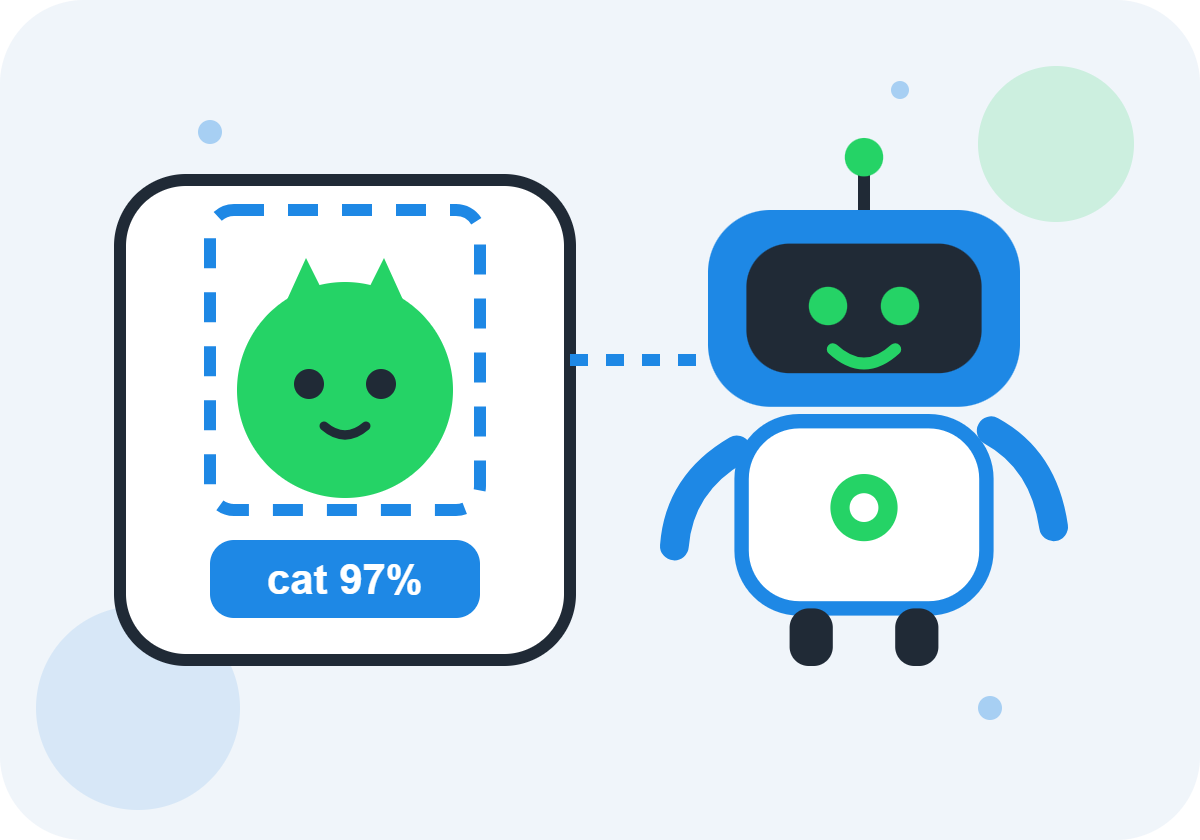
Collect and label pictures of cats, dogs, birds and rabbits, train a model, then test a new picture. For a challenge, pick look-alike animals and see if accuracy drops.

Beginner · Ages 9+
Collect, sort and label pictures, train, test and record results. Then ask: Which pictures were hard? Did lighting or the background matter? Were there enough examples?

Beginner · Ages 8+
The model recognises rock, paper and scissors gestures instantly. Add rules like 'rock beats scissors' and ML works together with normal programming.

Beginner · Ages 9+
Sort paper, plastic, metal and glass: choose categories, collect and label data, train, test and analyse errors.
Beginner · Ages 9–11
Tell apples, bananas, oranges and lemons apart by colour, shape, size and texture. Then ask: What happens with a green apple? Is colour alone enough?
Beginner · Ages 9+
Train commands like start, stop, yes, no or up, down, left, right. Test in quiet and noisy rooms, near and far from the microphone.

Beginner · Ages 10+
Build a rule-based chatbot on space, animals, science, school subjects, the environment or famous inventions. User: What is Mars? Bot: Mars is a planet in our solar system.

Beginner
Kids pick adventure, animals, mystery or science fiction, and the system suggests matching stories, just like real-world services.
Intermediate · Ages 12+
Ask for a favourite genre, length and theme, then suggest films from a small table of title, genre, year, rating, language and theme.

Intermediate · Ages 12+
Train a model on digits 0 to 9 and test a new one. A computer does not 'see' a number like we do; it uses numbers and learned patterns.
These ideas explore text, prediction, robotics and games, and many build responsible AI thinking too.

Beginner · Ages 10+
Classify smiling, neutral or surprised faces. A visible expression is not the same as a real feeling, so ask: Can an AI really know how someone feels?

Beginner · Ages 9–11
Classify roses, sunflowers, tulips and daisies, then research the plants.

Ages 12–14
Record temperature, humidity, cloud cover, wind and rain, and look for patterns before rainy days. It shows how data supports predictions, not real forecasting.

Intermediate · Ages 12+
Sort a teacher-provided set of messages into spam and not spam, never personal messages. A real message can be wrongly marked as spam.
Intermediate · Ages 12+
Label sentences like 'I loved the science experiment' as positive, negative or neutral. Context, tone, culture, sarcasm and situation change meaning.
Intermediate · Ages 13+
Design a helper for practice questions, vocabulary, revision, flashcards, explanations and study plans that gives hints, not finished homework.

Ages 9–11
Ask practice questions in maths, science, history, geography or computer science, then give feedback.

Robotics · All levels
Use soil moisture, temperature and light sensors to decide if a plant needs attention. Younger kids plan it; older kids build it with educational electronics.

Ages 12–14
Predict traffic from time of day, day of week, vehicle numbers and weather, as a learning simulation.
Beginner to Advanced
Build an opponent for tic-tac-toe, rock-paper-scissors, mazes, number guessing or strategy games. Beginners use rules; older kids let AI use past moves.
Need a fast place to start? Pick one of these.
Quick project
What kids learn
Cat vs. Dog Classifier
Image classification
Fruit Classifier
Visual patterns
Rock-Paper-Scissors AI
Computer vision and games together
Recycling Classifier
AI plus environmental science
Voice Command AI
Audio classification
Animal Classifier
Categories and labels
Simple Chatbot
Language and conversation
Movie Recommendation System
How recommendations work
Handwritten Digit Recognition
Image data
AI Study Assistant
Responsible educational AI
The right tool depends on your child's age and goals. When they are ready for text-based coding, Python can follow the five stages below. The goal is understanding, not copying a pre-written notebook.
Beginners
Kids experiment with images, sounds, poses and simple classifications, focusing on ML ideas instead of code syntax.
Younger learners
Teaches variables, conditions, loops, events and algorithms. Great for younger learners.
Older students
Libraries and frameworks for data analysis, ML, visualisation, NLP and computer vision. Kids should understand the ideas, not copy AI-generated code.
Hands-on builders
Programming, sensors, motors, data and ML concepts together, so software decisions become physical actions.
1
Variables, data types, conditions, loops and functions.
2
Lists, tables, reading datasets and basic visualisation.
3
Features, labels, training, testing, classification and regression.
4
Accuracy, error, validation and overfitting.
5
Choose a problem and build a small ML application.
Before your child uses any online AI or ML platform, check its age requirements, privacy practices, account settings and school policies.
Choose using five factors: age, coding experience, interests, equipment and learning goal. A 7-year-old's project should differ from a 15-year-old's, and beginners should not jump into complex Python. Animal lovers may enjoy an image classifier, gamers an AI game and young scientists a plant project. Some projects need only a computer; others need a camera, microphone, sensors or robotics hardware. Is the goal AI awareness, coding, machine learning, data science, robotics or critical thinking? The project should serve it, not just look impressive.
Make it a challenge. Instead of 'Build a chatbot', try 'Create a chatbot that helps an imaginary astronaut survive on Mars', or 'Can you teach a computer to recognise objects in your classroom?' Give kids a problem, a goal, freedom to experiment, permission to make mistakes and a chance to explain. A handy cycle is Question → Data → Experiment → Model → Test → Mistake → Improve → Explain.
Teach simply with the seven levels below, then follow a longer roadmap: Explore → Identify patterns → Classify → Test → Improve → Code → Build → Evaluate → Explain. A good project is age-appropriate, hands-on, understandable, creative, testable, safe, educational and connected to real life. Common mistakes make great teaching moments:
Too little data, or examples that all look alike
Testing with training data, so results look better than they are
Believing AI is always right: a prediction is not a fact
Ignoring bias from unrepresentative examples
Copying AI-generated code without understanding it
1
What is similar?
2
Which group does this belong to?
3
What examples can we give the computer?
4
How can the system learn from examples?
5
What does the system think this new example is?
6
Was the prediction correct?
7
How can we make the system better?
Aspect
Traditional programming
Machine learning
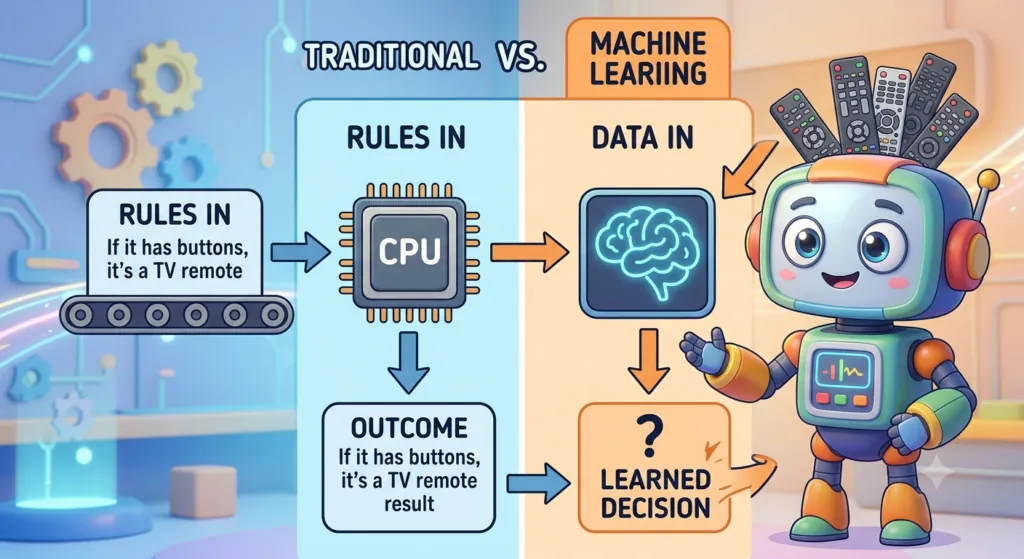
Simple formula
Rules + Input → Output
Examples/Data + Learning Method → Model
Where rules come from
The programmer writes them
The model learns patterns from examples
Example
Rock beats scissors game logic
Recognising rock, paper or scissors gestures
Follow these steps for any project, shown here with a recycling classifier. Easy formula: Problem → Data → Train → Test → Improve → Explain.
If a model gets 9 out of 10 cats and 8 out of 10 dogs right, ask why: image quality, unusual angles, too few examples, backgrounds, lighting or look-alike objects. Older learners can explore precision, recall, false positives and false negatives. Also teach these safety rules:
Do not share private information or upload sensitive photos without permission
Never enter passwords into AI tools
Check important facts; ask a parent or teacher when unsure
Respect others' privacy and remember AI can be biased
Use AI to learn, not as a shortcut for dishonest work
1
What should the computer predict, and who could it help? 'It should say whether an object is plastic, paper or metal.'
2
Use many varied examples per clear, non-overlapping category. Choose safe objects, not private photos, and check labels: wrong labels teach wrong patterns.
3
The model learns patterns from examples, sometimes unwanted ones, like the background.
4
Use pictures not used in training and record right and wrong predictions.
5
8 correct out of 10 = 80% accuracy. But high accuracy can mislead if test examples are too easy or too similar.
6
Add varied examples, fix labels, simplify categories and test different lighting, backgrounds, angles, sizes and distances.
7
Describe the data, what the model learned and its mistakes, like confusing shiny plastic with metal.
8
A small dataset may not work everywhere, and a prediction is not a fact.
9
Consider privacy, safety, accuracy, fairness, bias and human supervision.
10
Cover the problem, data, training, testing, results, improvements, limitations and responsible use.
The goal is not a perfect model, but understanding how machine learning uses data to spot patterns, make predictions, learn from mistakes and improve.
Teachers can add machine learning to STEM, computer science, maths, science or technology classes: introduction, demonstration, exploration, project, testing, error discussion and presentation. Assess learning, not looks, with a simple rubric (Beginning, Developing, Strong) covering understanding, data, project, testing, problem-solving, explanation and responsible AI.
Science fair projects should focus on a clear question and evidence, not a fashionable AI tool. Teenagers with basic programming can try the advanced cards below.
Generative AI tools can help kids brainstorm, understand programming concepts, debug, create practice questions, outline documentation and compare approaches. The rule: Ask AI for help, but make sure you understand the result, and follow the teacher's rules.
Science fair
Can an image classifier identify types of recyclable waste?
Science fair
Can an image model tell selected plant species apart?
Science fair
Can a classroom dataset reveal patterns linked to rainy days?
Science fair
Can an adaptive quiz match practice to student performance?
Science fair
How could AI help people use computers with voice or images?

Teen · Advanced
Use fictional or anonymised data, and discuss privacy and prediction limits.
Teen · Advanced
Recommend movies, books or music from preferences.
Teen · Advanced
Sort text into topics, or train and evaluate several visual categories.

Teen · Advanced
Explore how variables relate to a number using a safe dataset.
Teen · Advanced
Adapt questions based on earlier answers.
1
AI, machine learning, data, labels and patterns, plus a simple classification experiment.
2
Collect, label, train and test by building an image or sound classifier.
3
Examine mistakes, add examples and compare results. Why does the model make mistakes?
4
An independent project explaining problem, data, model, results, mistakes, improvements and responsible use.
AI Kids in Hyderabad offers AI and Robotics learning for children aged 6 to 16, online and offline. Machine learning sits at the heart of our 8-module AI course: Module 2 is Introduction to Machine Learning and Module 3 is Image and Pattern Recognition.
Sessions are interactive and project-based, combining fun with real-world learning and clear, age-appropriate guidance from experienced mentors. Kids use Scratch, Teachable Machine and Google AI Kit, and robotics learners use Arduino, sensors and robotics kits.
8 weeks per module, with weekday and weekend slots
Live sessions plus 1:1 mentorship support
Other modules: Basics of AI, NLP, AI Tools and Platforms, Ethics and Safe Use of AI, Hands-on Coding with Scratch, Fun Challenges and AI Labs
JNTU Branch: Metro Pillar No: A689, 3rd Floor, Dr Atmaram Estates, Hyder Nagar, Vasantha Nagar, Hyderabad 500072
Book a free demo class to see whether AI Kids is the right fit for your child.
FAQs
Q1
A
A simple image classifier is often a good starting point. Children train a model to tell two or more categories apart and can test it straight away with new examples.
Q2
A
Children can begin learning basic machine learning ideas at around primary-school age through pattern and classification activities. More technical machine learning and Python projects generally suit older students.
Q3
A
No. Children can learn the core machine learning concepts with visual, beginner-friendly tools before they learn Python.
Q4
A
The goal is more than a working app. Children should understand data, patterns, training, predictions, testing, errors and responsible AI use.
Q5
A
They can be made easy to access by choosing an age-appropriate project. A simple classifier suits beginners, while neural networks and advanced Python projects need more programming and maths.
Q6
A
Basic concepts can be taught without advanced maths. As students progress, maths and statistics become more and more useful for understanding how models work.
Q7
A
Good projects investigate a specific question, such as whether a model can classify objects or find patterns in a dataset. The strongest ones include testing, analysis, limitations and conclusions.
Q8
A
Yes, as a learning aid when parents, teachers or school policies allow it. Children should still understand the concepts, check information and never submit AI-generated work as their own.
Q9
A
Artificial intelligence is the broad field of building systems that do tasks linked to intelligent behaviour. Machine learning is one approach within AI that lets systems learn patterns from data.
Q10
A
For many beginners, an image classification project is a practical start, because categories, examples, training and predictions are easy to understand.
Q11
A
Younger children can start with visual ML tools and block-based programming. Older students can move to Python, and robotics kits help kids see ML ideas turn into physical actions.
Q12
A
Not always. A model can look accurate if the test examples are too easy or too similar to the training data, so kids should also check which categories were hard, what mistakes happened and whether it works in different conditions.
Q13
A
Use appropriate objects instead of private photographs. Children should not upload sensitive photos or personal documents without a clear reason and proper permission, and parents should check each platform's privacy settings.
The best way to introduce machine learning is to start with curiosity, not equations. Ask: How can a computer recognise a cat? How does a recommendation system choose what to show? When kids collect data, train models, test predictions and explain what they found, they learn to think critically about technology.
Quick takeaway: pick a first project that is simple enough to understand, interesting enough to explore, practical enough to test and challenging enough to improve. It just needs to let your child ask a question, work with data, learn from mistakes and discover how machines recognise patterns.
R
Author
Rupendra · AI Kids
Empowering young minds in Hyderabad to explore Artificial Intelligence through fun, hands-on learning.

Trial Class
Available on Request

Mode
Online & Offline (Hyderabad)

Age Group
6 to 16 years
Blog
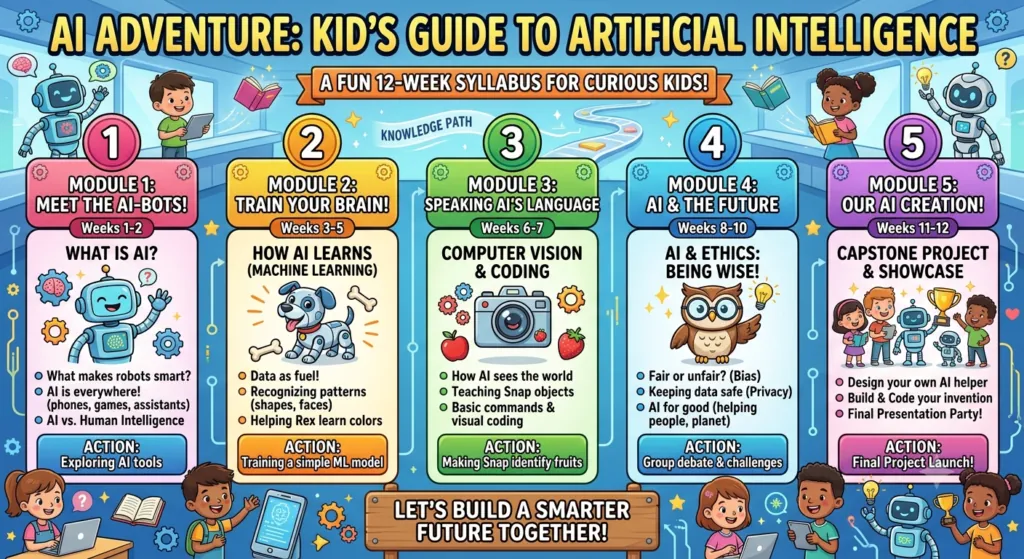
AI is already part of your child's day, from voice assistants and video recommendations to smart cameras. So what should kids actually learn about it? This AI course syllabus for kids breaks it down into simple modules, age-wise topics, fun projects and clear learning outcomes that parents and educators can use as a guide.
19 August 2026 · 13 min read
Read article

Python AI projects for kids turn coding into something children can see, hear and play with. Instead of only reading about Artificial Intelligence, young learners build small programs that answer questions, recognise pictures, play games and make decisions. Along the way they practise coding, logic, maths and problem-solving, one fun project at a time.
31 July 2026 · 12 min read
Read article
AI vs Robotics for kids: which should your child learn first? If your child is 9 to 12, you have probably seen coding classes, robotics clubs, AI programmes, STEM camps and endless online courses. AI and robotics are two of the most exciting choices. The good news? Neither is automatically better. They build different skills, and the right pick depends on how your child likes to learn.
12 August 2026 · 13 min read
Read article
