AI Kids

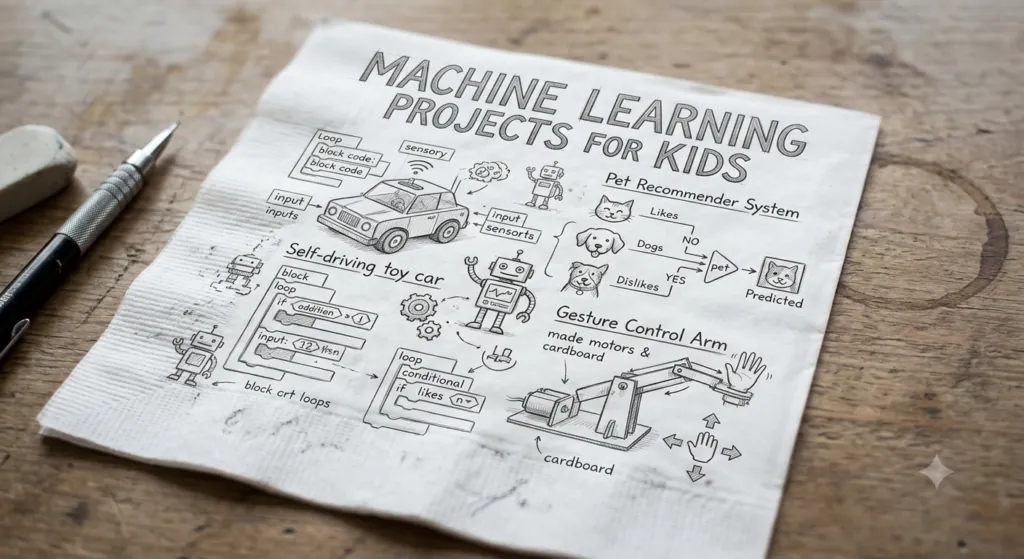
  Machine Learning Projects for Kids

Machine Learning Projects for Kids

Machine learning is no longer a technology that only belongs in university laboratories or professional software companies. Children can now explore the basic ideas behind machine learning through games, visual experiments, coding activities, robotics, and creative projects.

For parents and educators, the challenge is choosing machine learning projects for kids that are educational without being unnecessarily complicated.

The best beginner projects do not start with advanced mathematics or complicated algorithms. Instead, they help children understand simple ideas such as data, patterns, classification, training, prediction, testing, and responsible AI use.

This guide presents practical machine learning project ideas for children of different ages and experience levels. It also explains what kids can learn from each project, which skills they develop, how to make projects more challenging, and how parents and teachers can create a safe and engaging AI learning environment.

Whether you are looking for a first AI project for an 8-year-old, a school STEM activity, a coding-class project, or a more advanced machine learning challenge for teenagers, the ideas below can be adapted to different learning levels.

Machine Learning Project

What Is Machine Learning for Kids?

Machine learning is a branch of artificial intelligence in which computer systems use data to identify patterns and make predictions or decisions.

For children, machine learning can be explained with a simple example.

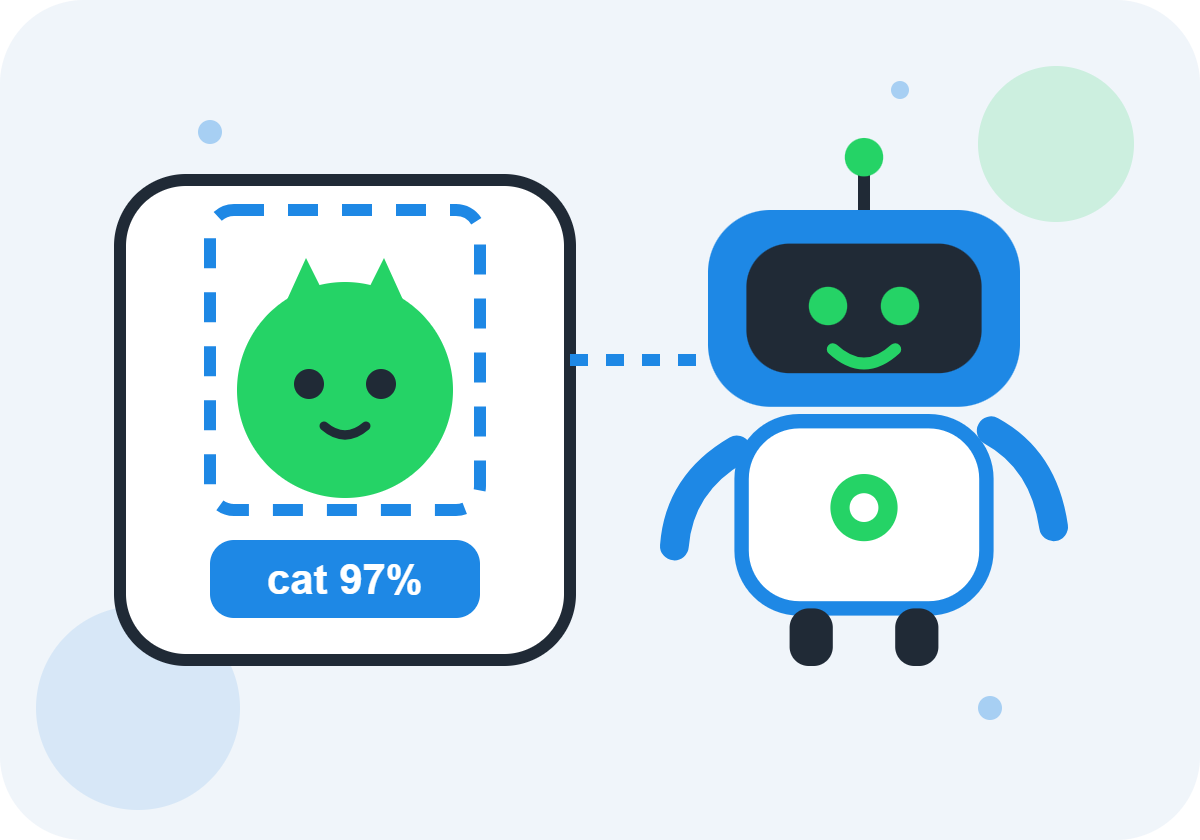
Imagine showing a computer many pictures of cats and dogs. Each picture is labeled so the computer knows whether it is a cat or a dog.

After seeing enough examples, a machine-learning model can learn patterns associated with the two categories. When it receives a new picture, it can make a prediction.

The prediction may be correct, but it can also be wrong.

That simple idea introduces several important machine-learning concepts:

  • Data
  • Examples
  • Labels
  • Training
  • Patterns
  • Classification
  • Predictions
  • Testing
  • Accuracy
  • Errors

Children can learn these concepts much more effectively when they build something themselves.

Table of Contents

Why Are Machine Learning Projects Good for Kids?

Project-based learning can turn abstract AI concepts into something children can see, test, and improve.

Instead of simply learning that “machine learning uses data,” students can collect data, train a model, test it, and observe what happens.

Machine learning projects can help children develop:

  • Logical thinking
  • Problem-solving
  • Pattern recognition
  • Coding skills
  • Data literacy
  • Creativity
  • Critical thinking
  • Experimentation skills
  • Communication
  • Collaboration
  • Digital literacy

Projects also give children an opportunity to experience failure in a productive way.

A model that makes incorrect predictions is not necessarily a failed project. It can become an opportunity to ask:

Why did the model get this wrong?

That question can lead to discussions about data quality, training examples, bias, model limitations, and testing.

Best Machine Learning Projects for Kids

Here is a quick overview of beginner-friendly project ideas:

Project

Difficulty

Main Concept

Recommended Level

AI Animal Classifier

Beginner

Classification

Ages 8+

Cat vs. Dog Classifier

Beginner

Image recognition

Ages 9+

Rock-Paper-Scissors AI

Beginner

Computer vision

Ages 8+

Recycling Classifier

Beginner

Classification

Ages 9+

Emotion or Expression Classifier

Beginner

Image classification

Ages 10+

Voice Command Classifier

Beginner

Audio classification

Ages 9+

AI Chatbot

Beginner

NLP

Ages 10+

Movie Recommendation System

Intermediate

Recommendations

Ages 12+

Spam Message Classifier

Intermediate

Text classification

Ages 12+

Sentiment Analysis

Intermediate

NLP

Ages 12+

Handwritten Digit Recognizer

Intermediate

Image classification

Ages 12+

AI Study Assistant

Intermediate

Generative AI/NLP

Ages 13+

Predictive Model

Advanced

Regression

Ages 14+

Python Machine Learning Project

Advanced

Model training

Ages 14+

The recommended ages are approximate. A child’s previous coding experience, reading ability, interests, and learning environment should also be considered.

1. AI Animal Classifier

An animal classifier is an excellent introduction to machine learning for children.

The goal is simple: teach a computer to distinguish between different categories of animals.

For example, students could create categories such as:

  • Cat
  • Dog
  • Bird
  • Rabbit

How the Project Works

Students first collect examples for each category.

They then label the examples and use them to train a simple model.

After training, they provide the model with a new example and see what it predicts.

What Kids Learn

This project introduces:

  • Data
  • Labels
  • Categories
  • Training
  • Prediction
  • Classification
  • Testing

How to Make It More Challenging

Instead of four obvious categories, students could choose visually similar animals.

They can then investigate whether the model becomes less accurate.

This introduces an important lesson:

The quality and variety of training data can affect machine-learning results.

2. Cat vs. Dog Image Classifier

A cat-versus-dog classifier is one of the most recognizable beginner machine-learning projects.

The objective is to train a model to classify images into two categories:

Cat or Dog.

Learning Process

Students can:

  1. Collect example images.
  2. Organize them into categories.
  3. Label the images.
  4. Train the model.
  5. Test new images.
  6. Record the predictions.
  7. Investigate incorrect results.

Questions for Students

After testing the model, ask:

  • How many predictions were correct?
  • Which images were difficult?
  • Were some pictures confusing?
  • Did lighting affect the result?
  • Did the background affect the prediction?
  • Did the model have enough examples?

These questions encourage children to think like machine-learning researchers.

3. Rock-Paper-Scissors AI

Rock-paper-scissors is a fun way to introduce computer vision.

Students can create a system that recognizes hand gestures representing:

  • Rock
  • Paper
  • Scissors

The model can then classify the student’s hand gesture.

Why This Project Is Great for Kids

The project combines:

  • AI
  • Computer vision
  • Games
  • Human-computer interaction
  • Classification

It also creates an immediate feedback loop.

The child makes a gesture, and the computer responds.

Learning Extension

Once the recognition system works, students can add game logic.

For example:

  • Rock beats scissors.
  • Scissors beats paper.
  • Paper beats rock.

Now the project combines machine learning with traditional programming.

This demonstrates an important concept: machine learning and conventional programming can work together in the same application.

4. Smart Recycling Classifier

A recycling classifier is a great STEM project because it connects machine learning with an environmental problem.

Students can create a model that attempts to classify objects into categories such as:

  • Paper
  • Plastic
  • Metal
  • Glass

Project Steps

Step 1: Choose Categories

Students decide what objects the model should recognize.

Step 2: Collect Data

They gather appropriate example images.

Step 3: Label the Data

Each image is assigned to a category.

Step 4: Train the Model

The machine-learning system learns patterns from the examples.

Step 5: Test the Model

Students provide new images.

Step 6: Analyze Errors

Students investigate incorrect predictions.

Learning Outcomes

This project teaches:

  • Classification
  • Data collection
  • Environmental awareness
  • Computer vision
  • Model testing
  • Critical thinking

5. Fruit Classifier

A fruit classifier is another simple machine-learning project for younger students.

Students could teach a model to distinguish between:

  • Apples
  • Bananas
  • Oranges
  • Lemons

They can explore visible characteristics such as:

  • Color
  • Shape
  • Size
  • Texture

The teacher can explain that a real machine-learning system may use much more complex representations than the simple characteristics children identify manually.

Extension Activity

Ask students:

What happens if we show the model a green apple?

This can lead to an interesting discussion about whether color alone is enough to identify an object.

6. Voice Command Classifier

Machine learning does not only work with images.

It can also work with audio.

Students can create a simple system that recognizes a small number of voice commands.

For example:

  • Start
  • Stop
  • Yes
  • No

Or:

  • Up
  • Down
  • Left
  • Right

What Students Learn

This project introduces:

  • Audio data
  • Speech recognition concepts
  • Classification
  • Training examples
  • Background noise
  • Model limitations

Experiment

Have students test the system in different environments.

For example:

  • Quiet classroom
  • Noisy classroom
  • Close to microphone
  • Far from microphone

Then ask:

Did the environment affect the model’s predictions?

This demonstrates why real-world machine-learning systems must be tested under different conditions.

7. AI Chatbot for Kids

A chatbot is a popular project for students interested in conversational AI.

A beginner chatbot can be designed around a specific topic such as:

  • Space
  • Animals
  • Science
  • School subjects
  • Environmental protection
  • Famous inventions

Beginner Version

Students can create a rule-based chatbot using simple programming logic.

For example:

User: What is Mars?

Bot: Mars is a planet in our solar system.

The student can then gradually introduce more sophisticated language-processing concepts.

What Kids Learn

  • Conversation design
  • Input and output
  • Natural language processing
  • Logic
  • Question answering
  • AI limitations

Important Lesson

Students should understand that a chatbot can provide an answer without necessarily understanding the world in the same way a human does.

8. AI Story Recommendation Project

Students can create a simple recommendation system that suggests stories based on preferences.

For example, a student might choose:

  • Adventure
  • Animals
  • Mystery
  • Science fiction

The system can then recommend stories that match those interests.

Concepts Introduced

This project can introduce:

  • User preferences
  • Data
  • Similarity
  • Recommendations
  • Prediction

Students can also discuss how recommendation systems appear in real-world services.

9. Movie Recommendation System

Older students can build a simplified movie recommendation project.

The system might ask a user about favorite genres.

For example:

Favorite genre: Science fiction

Preferred length: Short

Favorite theme: Space

The program can then recommend movies from a small dataset.

More Advanced Version

Students can create a table containing:

  • Movie title
  • Genre
  • Year
  • Rating
  • Language
  • Theme

They can then develop rules or a simple model to recommend items.

What Students Learn

  • Structured data
  • Features
  • User preferences
  • Recommendation systems
  • Data filtering
  • Basic prediction

This is a useful bridge between beginner programming and machine-learning concepts.

10. Handwritten Digit Recognition

Handwritten digit recognition is a classic machine-learning activity.

Students can explore how a computer can recognize handwritten numbers such as:

0, 1, 2, 3, 4, 5, 6, 7, 8, 9

A model is trained using examples of handwritten digits.

The student then provides a new handwritten digit and observes the prediction.

Why It Is Educational

The project demonstrates that a computer does not simply “see” a number the way a person does.

Instead, the system processes numerical representations of visual information and uses learned patterns to make a prediction.

Topics

  • Image data
  • Features
  • Classification
  • Training
  • Testing
  • Accuracy
  • Prediction errors

11. Emotion or Expression Classification

Older children can explore a carefully designed image-classification project involving visible facial expressions.

For example, a project could classify images into categories such as:

  • Smiling
  • Neutral expression
  • Surprised expression

However, teachers should make an important distinction:

Recognizing a visible expression is not the same as knowing a person’s actual emotion.

A facial expression does not reliably reveal someone’s internal feelings.

This makes the project useful for teaching both machine-learning concepts and responsible AI.

Learning Opportunity

Ask students:

Can an AI really know how someone feels?

This can lead to discussions about:

  • Model limitations
  • Context
  • Bias
  • Privacy
  • Responsible AI

12. Plant Classification Project

Children interested in science can build a project that classifies pictures of plants.

For example:

  • Rose
  • Sunflower
  • Tulip
  • Daisy

Students can collect images and train a simple classifier.

Cross-Curricular Learning

This project can connect:

AI + Biology + Environmental Science + Data

Students can research the plants after creating the classifier.

13. AI Weather Prediction Activity

Weather prediction is a useful way to introduce the concept of prediction without requiring students to build a professional forecasting system.

Students can create a small dataset containing variables such as:

  • Temperature
  • Humidity
  • Cloud cover
  • Wind
  • Rain occurrence

They can then explore whether certain patterns appear before rainy days.

Important Educational Point

A small classroom dataset will not produce reliable real-world weather forecasts.

The purpose is to demonstrate how data can be used to investigate patterns and make predictions.

This distinction is important for developing accurate AI literacy.

14. Spam Message Classifier

Older students can explore text classification by creating a simple system that separates messages into categories such as:

  • Spam
  • Not spam

Students can work with a small, teacher-provided dataset rather than collecting personal messages.

Concepts

  • Text data
  • Labels
  • Classification
  • Training
  • Testing
  • False positives
  • False negatives

Important Lesson

Students can discover that classification systems can make different types of mistakes.

For example, a legitimate message might incorrectly be classified as spam.

This introduces the importance of evaluating both correct and incorrect predictions.

15. Sentiment Analysis Project

Sentiment analysis involves classifying text according to a category such as:

  • Positive
  • Negative
  • Neutral

Students could create example sentences such as:

“I loved the science experiment.”

“The project was difficult.”

“The movie was fantastic.”

The model can attempt to classify the text.

Critical Thinking Discussion

Students should learn that sentiment is complicated.

The same words can have different meanings depending on:

  • Context
  • Tone
  • Culture
  • Sarcasm
  • Situation

This demonstrates why AI language systems can make mistakes.

16. AI Study Assistant

Older students can design a concept for an AI-powered study assistant.

The assistant could help with:

  • Practice questions
  • Vocabulary
  • Revision
  • Flashcards
  • Topic explanations
  • Study planning

Project Goal

The purpose should not be to let AI complete schoolwork for the student.

Instead, students can design an assistant that encourages learning.

For example, instead of immediately giving an answer, the system could provide a hint and ask the student to try again.

Learning Concepts

  • Natural language processing
  • Human-AI interaction
  • Prompt design
  • Educational technology
  • Responsible AI

17. AI Quiz Generator

Students can create a program that generates practice questions on a selected topic.

Possible topics include:

  • Mathematics
  • Science
  • History
  • Geography
  • Computer science

The system could ask a question, receive an answer, and provide feedback.

Skills

This project can combine:

  • Programming
  • Data
  • AI concepts
  • User interaction
  • Educational design

18. Smart Plant Watering System

Students interested in robotics can combine machine learning with sensors.

A smart plant system could use sensor information such as:

  • Soil moisture
  • Temperature
  • Light level

The system could then determine whether the plant needs attention.

Project Concepts

  • Sensors
  • Data collection
  • Classification
  • Automation
  • Robotics
  • Decision-making

For younger students, this can be a conceptual project. Older students can implement it using suitable educational electronics.

19. AI Traffic Prediction Project

Students can create a simplified traffic prediction model.

They might work with sample data such as:

  • Time of day
  • Day of week
  • Number of vehicles
  • Weather condition

The model can explore whether traffic levels can be predicted from these factors.

Learning Outcomes

Students learn:

  • Data collection
  • Features
  • Patterns
  • Prediction
  • Model evaluation

Again, the project should be presented as an educational simulation rather than a real traffic-management system.

20. AI Game Opponent

Students can create a game where a computer-controlled opponent responds to player actions.

Examples include:

  • Tic-tac-toe
  • Rock-paper-scissors
  • Maze games
  • Number guessing
  • Simple strategy games

Beginners can start with rules.

Older students can explore how an AI system can use previous information to influence decisions.

This project demonstrates an important distinction between rule-based programming and machine learning.

Machine Learning Projects for Kids by Age

Not every project is suitable for every student.

A good curriculum increases complexity gradually.

Machine Learning Projects for Ages 6–8

Younger children should focus on patterns, classification, and basic AI awareness.

Suitable activities include:

  • Pattern recognition games
  • Sort-the-object activities
  • Animal classification
  • Color classification
  • Simple AI storytelling
  • Robot decision-making games
  • AI scavenger hunts

At this stage, the objective is curiosity rather than advanced technical knowledge.

Machine Learning Projects for Ages 9–11

Students can begin working with beginner-friendly AI tools and visual programming environments.

Suitable projects include:

  1. Cat vs. dog classifier
  2. Fruit classifier
  3. Recycling classifier
  4. Rock-paper-scissors recognition
  5. Simple chatbot
  6. Voice command classifier
  7. AI quiz
  8. Plant classifier

Students can begin learning the basic machine-learning cycle:

Collect → Label → Train → Test → Improve

Machine Learning Projects for Ages 12–14

Students with some programming experience can move toward more technical projects.

Examples include:

  • Recommendation systems
  • Text classification
  • Sentiment analysis
  • Image classification
  • Handwritten digit recognition
  • AI games
  • Study assistants
  • Basic predictive models

Python can be introduced at this stage for students who are ready.

Machine Learning Projects for Ages 15–16+

Older students can explore more advanced concepts.

Possible projects include:

  • Regression models
  • Classification models
  • Data preprocessing
  • Model evaluation
  • Recommendation algorithms
  • Natural language processing
  • Computer vision
  • Neural-network fundamentals
  • Python machine-learning applications

Students can also begin learning about concepts such as:

  • Training sets
  • Validation sets
  • Test sets
  • Overfitting
  • Features
  • Model accuracy
  • Precision
  • Recall

The mathematics and programming depth should match the student’s background.

Beginner Machine Learning Project Workflow

Almost every beginner project can follow a simple workflow.

Step 1: Choose a Problem

Start with a clear question.

For example:

Can a computer distinguish between apples and bananas?

Step 2: Collect Data

Gather examples related to the problem.

Step 3: Label the Data

Tell the system what each example represents.

Step 4: Train

Use the examples to train the model.

Step 5: Test

Give the model examples it has not seen before.

Step 6: Analyze Results

Look at correct and incorrect predictions.

Step 7: Improve

Add better examples, adjust the project, or rethink the categories.

Step 8: Explain

Ask students to explain what they learned.

This final step is important because explaining a project can reveal whether the student truly understands the concept.

What Tools Can Kids Use for Machine Learning Projects?

The appropriate tool depends on the student’s age and learning objectives.

Visual Machine Learning Tools

Beginner-friendly visual platforms can allow children to experiment with:

  • Images
  • Sounds
  • Poses
  • Simple classifications

These environments are useful because students can focus on machine-learning concepts without spending too much time learning programming syntax.

Block-Based Programming

Block-based programming can introduce:

  • Variables
  • Conditions
  • Loops
  • Events
  • Algorithms

It is particularly useful for younger learners.

Python

Python is a strong choice for older students who want to move into more technical machine-learning projects.

Students can eventually explore libraries and frameworks used for:

  • Data analysis
  • Machine learning
  • Visualization
  • Natural language processing
  • Computer vision

However, children should understand the underlying concepts rather than simply copying code generated by an AI tool.

Robotics Kits

Educational robotics platforms can combine:

  • Programming
  • Sensors
  • Motors
  • Data
  • Machine learning concepts

Robotics can make AI tangible because students can see software decisions produce physical actions.

How to Choose the Right Machine Learning Project for a Child

Before selecting a project, consider five factors.

1. Age

A project for a 7-year-old should be substantially different from one designed for a 15-year-old.

2. Coding Experience

A beginner should not be expected to build a complex Python machine-learning application immediately.

3. Interests

A child interested in animals may enjoy an image classifier.

A child interested in games may prefer an AI game.

A student interested in science may enjoy a plant or environmental project.

4. Available Equipment

Some projects only require a computer.

Others may require:

  • Camera
  • Microphone
  • Sensors
  • Robotics hardware

5. Learning Objective

Ask what the child should learn.

Is the goal:

  • AI awareness?
  • Coding?
  • Machine learning?
  • Data science?
  • Robotics?
  • Critical thinking?

The project should serve the learning objective rather than simply look impressive.

How to Make Machine Learning Projects More Fun

Machine learning can become much more engaging when students are given creative freedom.

Instead of saying:

“Build an image classifier.”

Give them a challenge:

“Can you teach a computer to recognize objects in your classroom?”

Instead of:

“Build a chatbot.”

Try:

“Create a chatbot that helps an imaginary astronaut survive on Mars.”

A good project gives children:

  • A problem
  • A goal
  • Freedom to experiment
  • Permission to make mistakes
  • An opportunity to explain their results

Project-Based Machine Learning Learning Cycle

A useful learning cycle is:

Question → Data → Experiment → Model → Test → Mistake → Improve → Explain

This approach teaches children that machine learning is not about getting the right answer on the first attempt.

It is about experimenting with data and improving a solution.

Common Mistakes Kids Make in Machine Learning Projects

Mistakes are part of learning, but some can be used as teaching opportunities.

Using Too Little Data

A model trained on only a few examples may not perform well on new examples.

Using Similar Examples

If every training image looks almost identical, the model may struggle with different examples.

Testing With Training Data

If students test the model using the same examples used during training, the results may look better than the model’s performance on new data.

Assuming AI Is Always Correct

A prediction is not automatically a fact.

Ignoring Bias

If the training examples do not represent the situations the model will encounter, the results may be unreliable or unfair.

Copying AI-Generated Code

Students may be tempted to ask an AI tool to create an entire project.

Instead, encourage them to understand each major part of the code.

How to Teach Machin e Learning Without Making It Too Difficult

Machine learning involves advanced mathematics and computer science at professional levels.

Children do not need to start there.

A good beginner progression is:

Level 1: Patterns

“What is similar?”

Level 2: Classification

“Which group does this belong to?”

Level 3: Data

“What examples can we give the computer?”

Level 4: Training

“How can the system learn from examples?”

Level 5: Prediction

“What does the system think this new example is?”

Level 6: Testing

“Was the prediction correct?”

Level 7: Improvement

“How can we make the system better?”

This provides an intuitive foundation before introducing advanced mathematics.

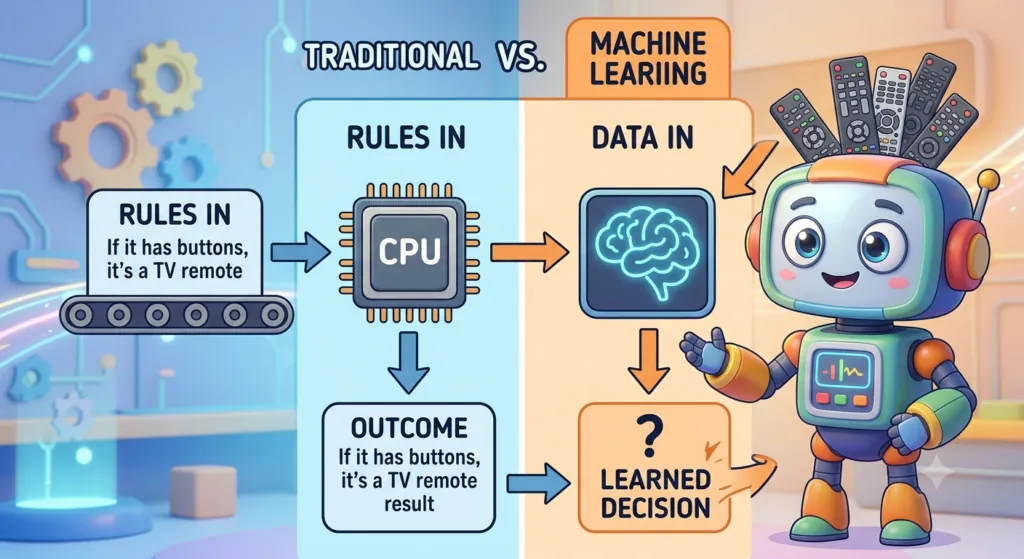
Machine Learning vs. Traditional Programming for Kids

Understanding the difference between traditional programming and machine learning is important.
Traditional Programming
A programmer provides:
Rules + Input → Output
Machine Learning
A simplified representation is:
Examples/Data + Learning Method → Model
What Skills Do Machine Learning Projects Teach?

Machine-learning projects can develop a broad range of skills.

Technical Skills

Students may learn:

  • Coding
  • Data handling
  • Algorithms
  • AI concepts
  • Machine learning
  • Computer vision
  • Natural language processing
  • Robotics

Mathematical Thinking

Students can gradually develop:

  • Logical reasoning
  • Pattern recognition
  • Data interpretation
  • Probability concepts
  • Measurement
  • Statistics

Creative Skills

Projects encourage:

  • Design
  • Storytelling
  • Experimentation
  • Innovation
  • Problem-solving

Creative Skills

Projects encourage:

  • Design
  • Storytelling
  • Experimentation
  • Innovation
  • Problem-solving

Communication Skills

Students can practice:

  • Presenting projects
  • Explaining results
  • Working in teams
  • Documenting experiments
  • Answering questions
How Teachers Can Use Machine Learning Projects in Class

Teachers can incorporate machine learning into STEM, computer science, mathematics, science, or technology classes.

A classroom project can follow this structure:

Introduction

Explain the machine-learning concept.

Demonstration

Show a simple working example.

Exploration

Allow students to experiment.

Project

Students build their own version.

Testing

Students evaluate results.

Discussion

Students analyze errors.

Presentation

Students explain their project.

This format combines technical learning with communication and reflection.

Machine Learning Project Assessment Rubric

Projects can be evaluated using a simple rubric.

Criteria

Beginning

Developing

Strong

Understanding

Limited understanding

Understands basic concepts

Clearly explains concepts

Data

Few or unclear examples

Organized examples

Appropriate and varied data

Project

Partially functional

Mostly functional

Functional and well tested

Testing

Limited testing

Some testing

Systematic testing

Problem-solving

Needs significant support

Solves some issues

Independently improves project

Explanation

Limited explanation

Basic explanation

Clear and detailed explanation

Responsible AI

Limited awareness

Identifies some risks

Demonstrates strong awareness

The purpose of assessment should be to measure learning, not just whether the final project looks impressive.

Responsible AI and Safety for Kids

Machine learning education should always include responsible technology use.

Children should learn:

  • Do not share private information unnecessarily.
  • Do not upload sensitive photographs without permission.
  • Do not enter passwords into AI tools.
  • Do not assume AI answers are always accurate.
  • Check important information.
  • Ask a parent or teacher when uncertain.
  • Respect other people’s privacy.
  • Understand that AI can be biased.
  • Use AI as a learning tool rather than a shortcut for dishonest work.

Parents and educators should also review the age requirements, privacy practices, account settings, and school policies of any online AI or machine-learning platform before children use it.

Teaching Kids That AI Can Make Mistakes

One of the most important lessons in a machine-learning project is that predictions are not guaranteed to be correct.

Suppose a model recognizes:

  • 9 out of 10 cats correctly
  • 8 out of 10 dogs correctly

Students can discuss why some images were misclassified.

Possible reasons include:

  • Poor image quality
  • Unusual angles
  • Insufficient training examples
  • Background similarities
  • Lighting differences
  • Similar-looking objects

The objective is not to hide errors.

Errors are valuable learning opportunities.

What Is Model Accuracy?

Accuracy is one way to measure how often a classification model makes correct predictions.

For a simple classroom example, suppose a model makes 20 predictions and gets 16 correct.

Its accuracy would be:

16 correct predictions ÷ 20 total predictions = 80%

However, students should learn that accuracy is not always enough to evaluate a machine-learning system.

For older learners, teachers can introduce concepts such as:

  • Precision
  • Recall
  • False positives
  • False negatives

The important lesson is that evaluating an AI system requires more than looking at one number.

Machine Learning Project Ideas for School Science Fairs

Machine learning can be adapted for science-fair projects.

Environmental AI

Question: Can a simple image classifier identify different categories of recyclable waste?

Plant Science

Question: Can an image model distinguish between selected plant species?

Weather

Question: Can a classroom dataset reveal patterns associated with rainy days?

Education

Question: Can an adaptive quiz provide different levels of practice based on student performance?

Accessibility

Question: How could AI help people interact with computers using voice, images, or other inputs?

The strongest science-fair projects should focus on a clear question and evidence rather than simply demonstrating a fashionable AI tool.

Advanced Machine Learning Projects for Teenagers

Teenagers who have learned basic programming can explore more sophisticated projects.

1. Student Performance Predictor

Use a fictional or appropriately anonymized dataset to explore whether study-related variables can predict performance.

Students should also discuss privacy and the limitations of predictions about individuals.

2. Recommendation Engine

Build a small recommendation system using movie, book, or music preferences.

3. Text Classifier

Create a model that categorizes text into predefined topics.

4. Image Classifier

Train and evaluate a model using multiple visual categories.

5. Simple Regression Model

Use a safe educational dataset to explore how one or more variables relate to a numerical outcome.

6. AI-Powered Educational Game

Create a game that adapts questions based on previous answers.

These projects introduce students to more realistic machine-learning workflows while still keeping the scope manageable.

Machine Learning Projects Using Python

Python can be introduced when students are ready for text-based programming.

A typical learning progression might be:

Stage 1

Python basics:

  • Variables

  • Data types

  • Conditions

  • Loops

  • Functions

Stage 2

Working with data:

  • Lists

  • Tables

  • Reading datasets

  • Basic visualization

Stage 3

Machine learning concepts:

  • Features

  • Labels

  • Training

  • Testing

  • Classification

  • Regression

Stage 4

Model evaluation:

  • Accuracy

  • Error

  • Validation

  • Overfitting

Stage 5

Independent project

Students choose a problem and build a small machine-learning application.

The goal should be understanding, not simply copying a pre-written notebook.

How AI Tools Can Support Machine Learning Education

Generative AI tools can sometimes support children’s learning by helping them:

  • Brainstorm project ideas
  • Explain unfamiliar programming concepts
  • Suggest debugging approaches
  • Create practice questions
  • Generate documentation outlines
  • Compare different approaches

However, students should be encouraged to understand and verify AI-generated suggestions.

A useful rule is:

Ask AI for help, but make sure you understand the result.

For school projects, students should also follow their teacher’s rules regarding AI-assisted work.

10 Quick Machine Learning Projects for Kids

If you need simple ideas to start with, consider these:

  1. Cat vs. Dog Classifier — Learn image classification.
  2. Fruit Classifier — Explore visual patterns.
  3. Rock-Paper-Scissors AI — Combine computer vision and games.
  4. Recycling Classifier — Connect AI with environmental science.
  5. Voice Command AI — Explore audio classification.
  6. Animal Classifier — Learn categories and labels.
  7. Simple Chatbot — Explore language and conversation.
  8. Movie Recommendation System — Learn recommendations.
  9. Handwritten Digit Recognition — Explore image data.
  10. AI Study Assistant — Explore responsible educational AI.

A 4-Week Machine Learning Project Plan for Kids

For a short course, teachers can organize projects into four stages.

Week 1: Discover AI and Data

Students learn:

  • What is AI?

  • What is machine learning?

  • What is data?

  • What are labels?

  • What are patterns?

Activity

Complete a simple classification experiment.

Week 2: Train a Model

Students:

  • Collect examples

  • Label data

  • Train a model

  • Test predictions

Project

Build an image or sound classifier.

Week 3: Improve the Model

Students:

  • Examine mistakes

  • Add examples

  • Test different inputs

  • Compare results

Key Question

Why does the model make mistakes?

Week 4: Build and Present

Students choose an independent project.

They should explain:

  • The problem

  • The data

  • The model

  • The results

  • The mistakes

  • The improvements

  • The responsible-use considerations

This final presentation helps students demonstrate genuine understanding.

Machine Learning Project Checklist for Kids: Questions and Answers

A machine learning project becomes easier when students follow a step-by-step checklist. This checklist helps kids understand what they are building, what data they need, how the computer learns, how to test the model, and how to improve it.

Below is a simple machine learning project checklist with explanations and example answers.


1. Define the Problem

Question 1: What problem am I trying to solve?

Answer:
I need to clearly identify the problem I want the computer to help solve.

Example:
“I want to teach a computer to identify whether an object is plastic, paper, or metal.”

Question 2: What should the computer predict?

Answer:
The computer should predict the category or result based on the information it receives.

Example:
“When I show the computer a picture of an object, it should predict whether it is plastic, paper, or metal.”

Question 3: Who can benefit from this project?

Answer:
Think about the people who could use the project and how it might help them.

Example:
“A recycling classifier could help students learn how different materials can be sorted.”

2. Prepare the Data

Question 4: What examples do I need?

Answer:
I need examples that represent the different categories I want the computer to recognize.

Example:
For a recycling project, I might collect pictures of:

  • Plastic bottles

  • Paper

  • Cardboard

  • Metal cans

Question 5: Are my categories clear?

Answer:
Each category should have a clear meaning so the computer can learn the difference between them.

Example:

  • Category 1: Plastic
  • Category 2: Paper
  • Category 3: Metal

Avoid categories that overlap too much.

Question 6: Do I have enough examples?

Answer:
I should provide enough varied examples for each category. A model trained on only a few examples may not work well with new examples.

Example:
Instead of using only three pictures of plastic bottles, I could use many different plastic objects with different shapes, colors, sizes, and backgrounds.

Question 7: Is my data appropriate and safe?

Answer:
The data should be relevant to the project and should not unnecessarily contain private or sensitive information.

Example:
For a classroom image-classification project, use appropriate objects rather than collecting people’s private photographs.

Question 8: Did I label my data correctly?

Answer:
Every training example should be placed in the correct category.

Example:

A picture of a metal can → Metal

A picture of a newspaper → Paper

A picture of a plastic bottle → Plastic

Incorrect labels can teach the model the wrong patterns.

3. Train the Machine Learning Model

Question 9: What does training mean?

Answer:
Training is the process in which a machine-learning model uses examples to learn patterns that can help it make predictions.

Simple example:
If we show the model many pictures labeled “cat” and “dog,” it can learn patterns that help it distinguish between the two categories.

Question 10: Did I provide enough examples?

Answer:
I should provide a useful variety of examples for every category.

Example:
If the model only sees one type of plastic bottle during training, it may have difficulty recognizing other plastic objects.

Question 11: Did I label the examples correctly?

Answer:
I should check the labels before training.

Example:

  • Cat picture → Cat
  • Dog picture → Dog
  • Cat picture accidentally labeled Dog → Incorrect

Incorrect labels can reduce the quality of the model’s predictions.

Question 12: What patterns might the computer learn?

Answer:
The model may identify patterns in the training data that help it distinguish between categories.

Example:
An image model may learn visual patterns associated with different objects.

However, students should remember that a model can sometimes learn unwanted patterns, such as background features, instead of the feature they intended it to recognize.

4. Test the Model

Question 13: Why should I test the model?

Answer:
Testing helps us find out whether the model can make useful predictions on examples it has not already seen.

Question 14: Did I use new examples?

Answer:
Yes. Ideally, testing should use examples that were not used to train the model.

Example:
If I trained the model using 80 pictures, I can use separate pictures to see how well it handles new examples.

Question 15: Which predictions were correct?

Answer:
Record the predictions that match the correct answer.

Example:

The correct category is Plastic.

The model predicts Plastic.

Result: Correct prediction.

Question 16: Which predictions were incorrect?

Answer:
Record situations where the model predicts the wrong category.

Example:

The correct category is Paper.

The model predicts Plastic.

Result: Incorrect prediction.

This is useful because mistakes can help students understand how the model could be improved.

5. Understand Accuracy

Question 17: How accurate is my model?

Answer:
Accuracy is one simple way to describe how often a model makes correct predictions.

For example, if a model makes 10 predictions and gets 8 correct:

8 ÷ 10 = 80% accuracy

So the model’s accuracy in this simple test is 80%.

Question 18: Does high accuracy always mean the model is good?

Answer:
No.

A model can appear accurate if the testing examples are too easy or too similar to the training data.

Students should also consider:

  • What types of examples were tested?
  • Which categories were difficult?
  • What mistakes occurred?
  • Does the model work in different conditions?

6. Improve the Model

Question 19: Why did the model make mistakes?

Answer:
There can be many reasons.

For example:

  • Not enough training examples
  • Incorrect labels
  • Similar-looking categories
  • Poor-quality images
  • Different lighting
  • Different backgrounds
  • Unusual examples
  • Training data that does not represent real situations

Question 20: Can I add better examples?

Answer:
Yes.

Adding more useful and varied examples can sometimes help the model learn more appropriate patterns.

Example:
If a recycling model struggles with crushed plastic bottles, students could add more examples of plastic objects in different shapes and conditions.

Question 21: Can I improve my categories?

Answer:
Sometimes.

If categories are confusing or overlap too much, students can reconsider how the problem is defined.

For example, instead of trying to distinguish between “small plastic” and “large plastic,” a beginner project might use clearer categories such as:

  • Plastic
  • Paper
  • Metal

Question 22: Can I test different conditions?

Answer:
Yes.

Testing under different conditions can show whether the model is reliable.

For an image classifier, try:

  • Different lighting
  • Different backgrounds
  • Different angles
  • Different object sizes
  • Different distances

7. Explain the Project

Question 23: Can I explain how my project works?

Answer:
I should be able to explain the project in simple language.

Example answer:

“My project uses pictures of recyclable objects. I labeled the pictures as plastic, paper, or metal. I trained a machine-learning model using those examples. Then I tested it with new pictures to see whether it could correctly identify the material.”

Question 24: What data did I use?

Answer:
Explain what information was provided to the model.

Example:

“I used pictures of different recyclable objects.”

Question 25: What did the model learn?

Answer:
Explain what patterns or categories the model was designed to recognize.

Example:

“The model learned patterns from the training examples that helped it classify new objects.”

Question 26: What mistakes did the model make?

Answer:
Give specific examples of incorrect predictions.

Example:

“The model sometimes confused shiny plastic objects with metal because some of the training images had similar visual features.”

This is an important part of the project because students learn from errors.

8. Understand the Limitations

Question 27: What are the limitations of my project?

Answer:
Limitations are situations where the model may not work well.

Example:

“My model was trained using a small classroom dataset, so it may not perform reliably on every type of recyclable material.”

Question 28: Can the model always be trusted?

Answer:
No.

Machine-learning models can make incorrect predictions. Students should understand that an AI prediction is not automatically a fact.

Question 29: What would I improve if I had more time?

Answer:
Think about ways to make the project more reliable.

Example:

“I would collect more varied examples, improve the labels, test the model in different environments, and compare its performance across different categories.”

9. Use AI Responsibly

Question 30: How should my project be used responsibly?

Answer:
The project should be used safely, fairly, and appropriately.

Students should consider:

  • Privacy
  • Safety
  • Accuracy
  • Fairness
  • Bias
  • Human supervision

Question 31: Should I use people’s private information?

Answer:
No. Students should avoid collecting or sharing unnecessary personal information.

For example, an educational project should not require students to upload private photographs or personal documents unless there is a clear, appropriate reason and proper permission.

Question 32: Can AI make unfair predictions?

Answer:
Yes.

Machine-learning systems can produce biased or unreliable results when their training data is incomplete, unbalanced, or not representative of the situations where the model will be used.

Children should learn that responsible AI requires careful testing and human judgment.

10. Final Presentation Checklist

Before presenting a machine-learning project, students can answer these questions:

Problem

What problem did I solve?

Example answer:
“I created a system that attempts to classify recyclable objects.”

Data

What data did I use?

Example answer:
“I used labeled pictures of plastic, paper, and metal objects.”

Training

How did the model learn?

Example answer:
“The model learned patterns from the labeled training examples.”

Testing

How did I test it?

Example answer:
“I tested the model using new pictures that were not used during training.”

Results

How did it perform?

Example answer:
“The model correctly classified most of my test examples, but it made mistakes with some objects.”

Improvement

How could I make it better?

Example answer:
“I could add more varied training examples and test the model under different conditions.”

Limitations

What can my model not do reliably?

Example answer:
“It may not work well with objects that look very different from the training examples.”

Responsible AI

How should people use my project?

Example answer:
“It should be used as an educational experiment rather than assuming every prediction is correct.”

Quick Machine Learning Checklist for Kids

Students can remember the entire process using these six steps:

Step

Question

Simple Answer

1. Define

What am I solving?

Identify the problem and prediction.

2. Prepare

What data do I need?

Collect and correctly label useful examples.

3. Train

How will the computer learn?

Give the model training examples.

4. Test

Does it work on new examples?

Check correct and incorrect predictions.

5. Improve

How can I make it better?

Improve data, categories, and testing.

6. Explain

What did I learn?

Describe the project, results, limitations, and responsible use.

Easy Formula to Remember

Problem → Data → Train → Test → Improve → Explain

This six-step process gives children a simple framework for completing a machine learning project from beginning to end.

The most important goal is not to build a perfect AI model. The goal is for students to understand how machine learning uses examples and data to recognize patterns, make predictions, learn from mistakes, and improve over time.

Frequently Asked Questions About Machine Learning Projects for Kids

What is the easiest machine learning project for kids?

A simple image classifier is often a good starting point. Children can train a model to distinguish between two or more categories and immediately test it with new examples.

What age can kids start learning machine learning?

Children can begin learning basic machine-learning ideas at around elementary-school age through pattern and classification activities. More technical machine learning and Python projects are generally better suited to older students.

Do kids need to know Python before learning machine learning?

No. Children can learn fundamental machine-learning concepts using visual and beginner-friendly tools before learning Python.

What should a child learn from a machine learning project?

The goal should be more than creating a working application. Children should understand data, patterns, training, predictions, testing, errors, and responsible AI use.

Are machine learning projects difficult for kids?

They can be made accessible by choosing an age-appropriate project. A simple classifier may be suitable for beginners, while neural networks and advanced Python projects require more programming and mathematics.

Can machine learning be taught without mathematics?

Basic concepts can be taught without advanced mathematics. As students progress, mathematics and statistics become increasingly useful for understanding how machine-learning models work.

What is a good machine learning project for a school science fair?

Good projects usually investigate a specific question, such as whether a model can classify objects or identify patterns in a dataset. The strongest projects include testing, analysis, limitations, and conclusions.

Can kids use generative AI while learning machine learning?

Generative AI can be used as a learning aid when permitted by parents, teachers, or school policies. Children should still understand the concepts, verify information, and avoid simply submitting AI-generated work as their own.

What is the difference between AI and machine learning?

Artificial intelligence is the broader field of creating systems that perform tasks associated with intelligent behavior. Machine learning is one approach within AI that allows systems to learn patterns from data.

What is the best machine learning project for beginners?

For many beginners, an image classification project is a practical starting point because students can easily understand categories, examples, training, and predictions.

Machine Learning Projects for Kids: Learning Roadmap

A child can progress through machine learning gradually.

Level 1: Explore

Learn what AI and machine learning mean.

Level 2: Identify Patterns

Sort objects, images, sounds, or information.

Level 3: Classify

Teach a simple model to distinguish categories.

Level 4: Test

Use new examples and examine predictions.

Level 5: Improve

Add better data and investigate errors.

Level 6: Code

Learn programming fundamentals.

Level 7: Build

Create independent AI and machine-learning projects.

Level 8: Evaluate

Learn about accuracy, bias, limitations, and responsible AI.

Level 9: Explain

Present the project and defend design decisions.

This progression helps children move from simply using AI to understanding how AI systems are developed and evaluated.

What Makes a Good Machine Learning Project for Kids?

The best project is not necessarily the most technically advanced one.

A good children’s machine-learning project should be:

Age Appropriate

The concepts and tools should match the child’s developmental level.

Hands-On

Students should actively experiment instead of only watching demonstrations.

Understandable

Children should be able to explain what their model is doing.

Creative

Students should have opportunities to personalize their projects.

Testable

There should be a clear way to evaluate the result.

Safe

The project should protect children’s privacy and avoid unnecessary collection of personal data.

Educational

The project should teach a meaningful concept rather than simply produce an impressive demo.

Connected to Real Life

Projects are often more engaging when children can see how similar ideas are used in the real world.

Final Thoughts: Helping Kids Learn Machine Learning Through Projects

The best way to introduce children to machine learning is not to begin with complicated equations or advanced algorithms.

Start with curiosity.

Ask:

How can a computer recognize a cat?

How can a game respond to a player?

How does a recommendation system choose what to show?

Can we teach a computer to recognize recyclable objects?

Questions like these can turn everyday technology into learning opportunities.

From simple animal classifiers and rock-paper-scissors games to recommendation systems, chatbots, computer vision projects, and Python-based applications, machine learning projects for kids can introduce important concepts through practical experimentation.

The most valuable outcome is not simply a working AI model.

It is a child who understands that machine learning depends on data, that predictions can be wrong, that models need testing, and that technology should be used responsibly.

When children collect data, train models, test predictions, investigate errors, improve their projects, and explain what they discovered, they are developing more than coding skills. They are learning how to think critically about technology.

That combination of AI literacy, computational thinking, creativity, problem-solving, and responsible technology use can provide a strong foundation for future learning in artificial intelligence, computer science, robotics, data science, and related fields.

Quick Takeaway

If you are looking for the best machine learning projects for kids, start with a project that is:

Simple enough to understand + interesting enough to explore + practical enough to test + challenging enough to improve.

A child’s first AI project does not need to be complicated.

It simply needs to give them a chance to ask a question, work with data, experiment with a model, learn from mistakes, and discover how machines can recognize patterns.

Leave a Comment

Your email address will not be published. Required fields are marked *

Scroll to Top